

Spotify Xirp is not a fourth coding model and does not replace Claude Code, OpenAI Codex, or Gemini CLI. It is a proprietary macOS desktop environment that detects and launches those native agents, organizes repositories into projects, keeps terminal sessions persistent, separates concurrent work with Git worktrees, and presents multiple sessions in one interface. An optional Spotify Portal connection adds catalog and Workspace context through MCP.
The useful comparison is therefore not “Which model is best?” It is “Does my team need a common control surface around agents we already use?” Xirp manages the work around the agent. The native CLI still owns its provider account, authentication, model selection, reasoning behavior, tool permissions, sandbox, and much of its configuration.
This is a category and workflow comparison based on public documentation, not a hands-on performance benchmark. Read the full Xirp explainer for launch facts and beta limitations, or the step-by-step Xirp setup guide to operate it.
What is the difference in one sentence?
Claude Code, Codex, and Gemini CLI are the native coding agents that interpret goals and take actions; Xirp is the desktop harness that launches, arranges, persists, and isolates their sessions; Portal is the optional organizational-context layer.
| Stack layer | Examples | Primary responsibility |
|---|---|---|
| Model/provider | Anthropic, OpenAI, Google | Model behavior, inference, account/API terms and provider-side data controls |
| Native coding-agent CLI | Claude Code, Codex, Gemini CLI | Authentication, model and reasoning settings, tools, permissions, sandbox, native commands and configuration |
| Xirp desktop harness | Projects, sessions, persistent terminals, worktrees, grid, rules/skills/files | Local workflow organization and multi-session control surface |
| Portal context layer | Software Catalog, Workspaces, resources, records, wiki, uploaded sessions, MCP | Organizational identity, ownership, curated knowledge, retrieval and shared continuity |
| Delivery system | Git hosting, CI, review, deployment | Validation, approval, merge, release, rollback and production access |
Why “Xirp versus an agent” is partly the wrong frame
Xirp requires the supported native agent to be installed and authenticated. Choosing Claude Code in Xirp launches Claude Code; choosing Codex launches Codex; choosing Gemini launches Gemini CLI. Xirp does not translate them into one generic engine or move their account relationship to Spotify. That makes Xirp complementary to the agents, in the same way an IDE or terminal multiplexer can sit around a compiler or shell without replacing it.
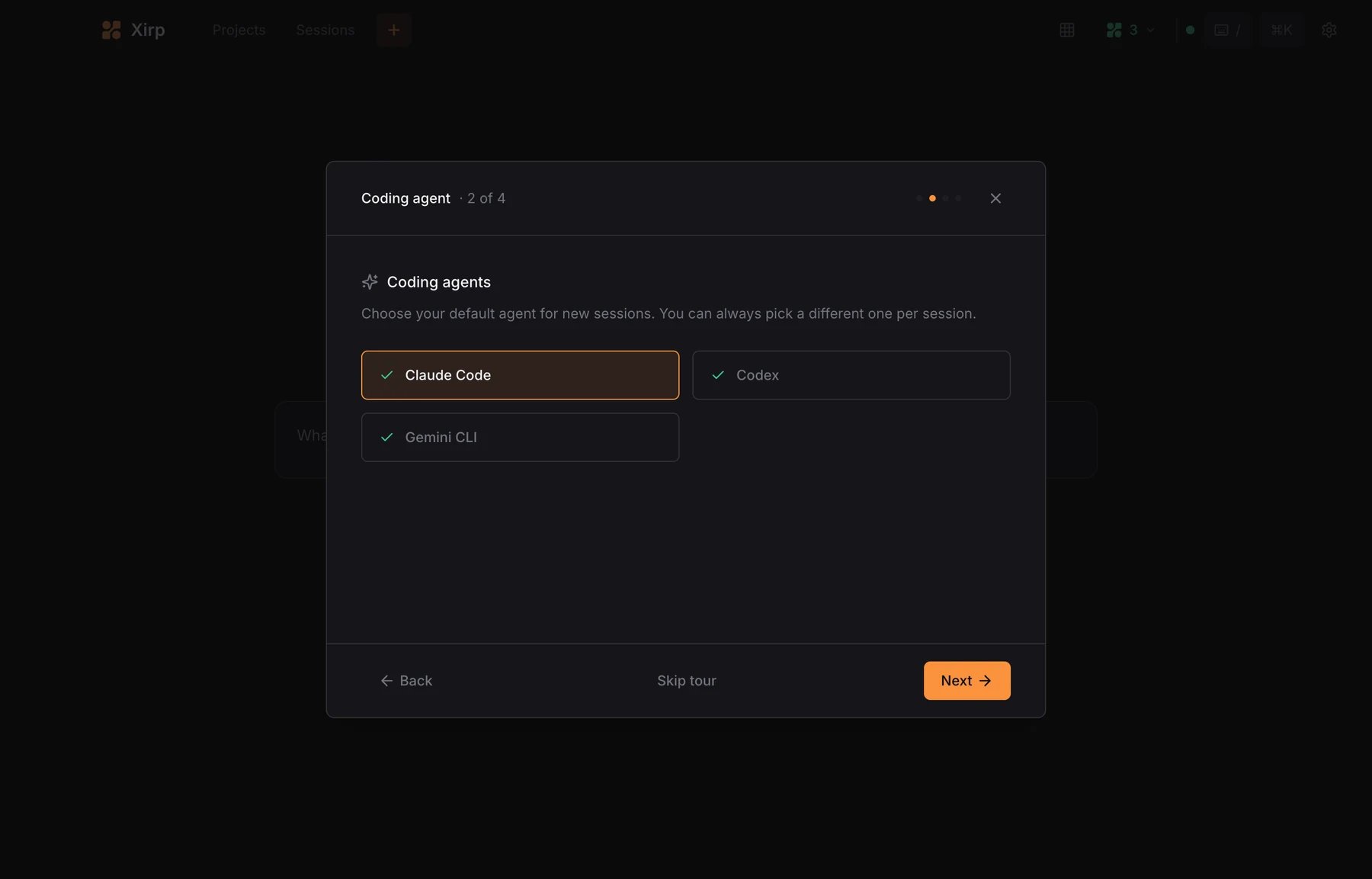
Responsibility matrix: who actually controls what?
| Capability | Xirp | Native CLI | Portal |
|---|---|---|---|
| Detect/choose agent for a session | Yes | Must already be installed | No |
| Provider authentication | Does not replace | Owns | Separate Portal authorization |
| Model and reasoning selection | May expose launch choices where supported | Owns actual behavior/configuration | No |
| Prompt interpretation and code generation | Hosts session | Owns | Can supply context |
| Filesystem/shell/network permission | Does not unify | Owns native controls | Controls Portal-resource access, not local execution |
| Persistent terminal session | Owns desktop experience | Runs inside terminal | No |
| Project and session overview | Owns | Agent-specific history/config remains separate | Workspace view is separate |
| Git worktree per task | Can create/manage workflow | Edits within checkout | Can help resolve a catalog repository |
| Rules, skills and files | Can associate with project/session | Interprets supported native formats | Can provide additional MCP context |
| Organizational ownership/decisions | Consumes when connected | Can query via MCP | Owns catalog/Workspace source |
| Cross-user session continuity | User manually uploads | Produces transcript | Workspace stores/shares uploaded session |
| Testing, review and deployment | Does not replace | May run tools | Does not replace delivery controls |
What Xirp standardizes across the three agents
- Project registration: a consistent way to point at a Git repository, non-Git folder, or parent folder containing repositories.
- Session launch: goal, agent, working directory, and worktree choices in one dialog.
- Persistent terminals: sessions can continue when they are not the foreground view and can be revisited.
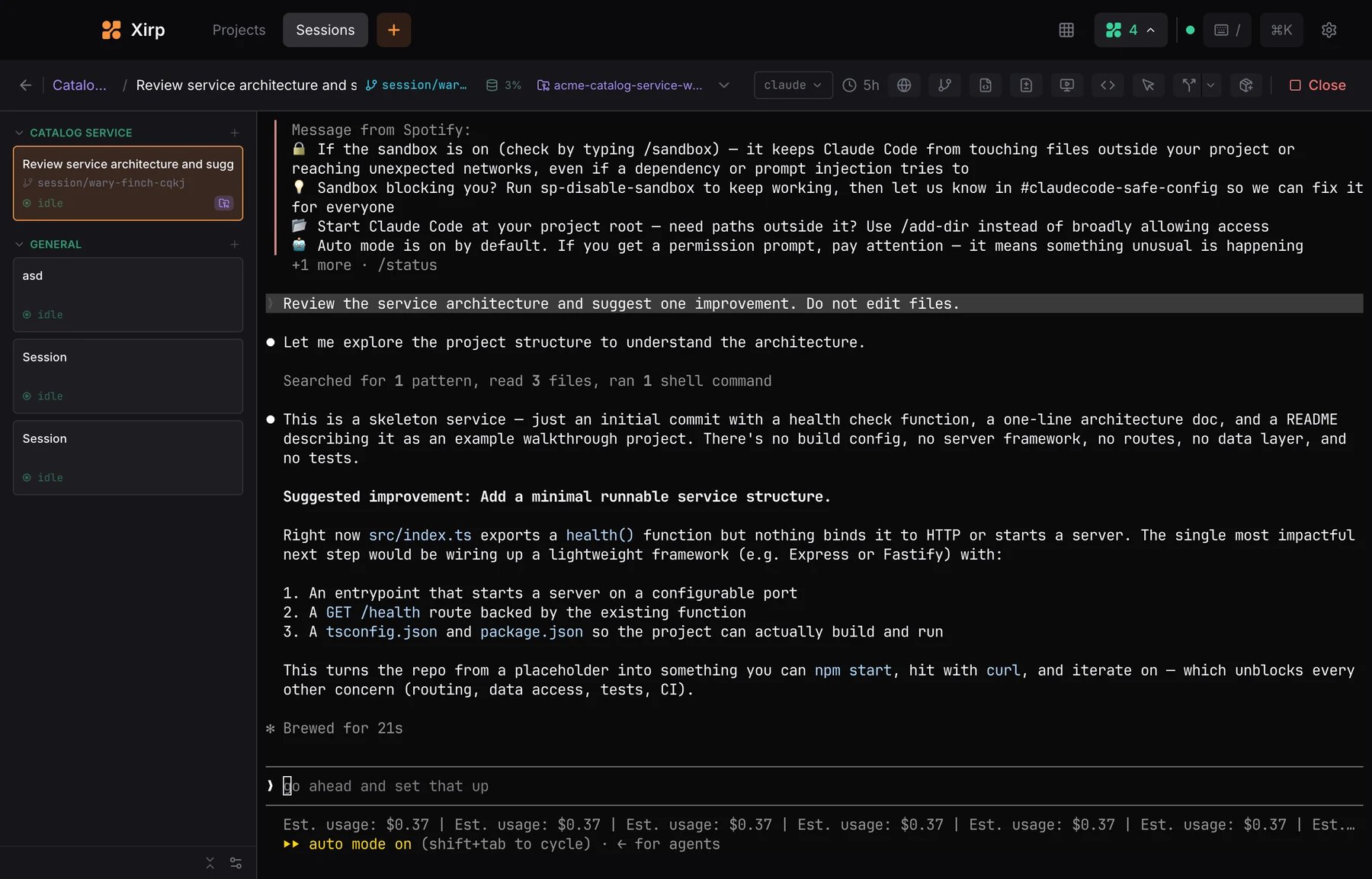
- Parallel-session visibility: the grid provides one place to monitor several independent agent terminals.
- Git isolation workflow: a repeatable path to create a separate worktree rather than sharing one checkout.
- Project context packaging: project files, skills, and rules can be attached for agent consumption.
- Notifications and status: hooks can help Xirp represent what the underlying agent is doing.
- Optional Portal launch: a Workspace can resolve a repository and expose relevant context through MCP.
What Xirp does not standardize
- Provider account, subscription, API billing, quotas, rate limits, or data terms.
- Model quality, latency, context window, reasoning style, or tool competence.
- Agent-specific commands, configuration files, memory behavior, extensions, or update cadence.
- Filesystem, shell, network, and approval semantics across agents.
- Which external MCP servers or plugins an agent may call outside Portal.
- Output correctness, secure code, test coverage, code review, merge approval, or deployment safety.
- Support for Windows or Linux; the current Xirp beta is documented as macOS-only.
- Server deployment or SSH-hosted Xirp sessions; the FAQ currently says these are unsupported.
This boundary is why the Xirp security and privacy checklist reviews Xirp, the endpoint, each agent, Portal, and delivery controls separately.
Can you switch agents inside the same project?
You can create sessions for different supported agents against the same registered project, which lowers the organizational cost of trying another CLI. But “switching” is not perfect state portability. A native agent’s conversation history, commands, skills/rules format, model features, authentication, permissions, and provider-side memory may not transfer. Files committed to Git, repository documentation, tests, and explicit task notes are the more portable handoff layer.
| Handoff artifact | Portability | Use |
|---|---|---|
| Committed code and Git diff | High | Ground truth for what changed |
| Tests and command receipts | High | Reproduce validation |
| Repository instructions | Medium to high | Depends on whether each agent reads the format |
| Plain-text task/status file | High | Explicit goal, constraints, decisions, next action |
| Native conversation history | Low | Usually agent-specific |
| Provider memory or hidden reasoning | Low or unavailable | Do not rely on it for a handoff |
| Portal Workspace resources | Medium to high through compatible MCP access | Shared organizational context, subject to identity and permissions |
For a deeper treatment of durable context, compaction, and explicit handoffs, see my context-engineering guide.
Xirp without Portal versus a normal terminal workflow
Standalone Xirp is most valuable when the coordination burden is real: several repositories, several concurrent sessions, frequent worktree creation, lost terminals, inconsistent project launch context, or a need to see agent status in one window. A developer using one agent in one repository with a disciplined terminal, Git branch, and editor may gain less. Xirp adds another application and beta dependency, so convenience must exceed that operational cost.
Xirp plus Portal versus agents connected directly to MCP
A compatible native agent can potentially consume organizational context through MCP without Xirp. The documented Xirp-plus-Portal value is the integrated flow: discover a catalog component, resolve its repository to the Mac, launch from a curated Workspace, retrieve permission-aware context, and optionally upload reviewed session history back to that Workspace. The Portal/MCP architecture article maps this lifecycle and its governance points.
The advantage is not that Xirp invented MCP or guarantees better retrieval. It is that Spotify packages repository identity, organizational knowledge, local execution, and session continuity into one documented route. Teams already operating a strong catalog, custom MCP layer, and standardized terminal harness should compare integration effort, permissions, auditability, and knowledge quality rather than feature labels.
Decision scenarios
| Scenario | Recommendation | Reason | Watch-out |
|---|---|---|---|
| One developer, one agent, one repository | Keep the native CLI unless persistence/grid solves a real pain | Lowest coordination burden | Do not add a beta layer without measurable benefit |
| One developer, several agents or parallel tasks | Evaluate standalone Xirp | Common project/session/worktree surface may reduce switching and collisions | Agent-specific controls still differ |
| Mac-based platform team with accurate Portal catalog | Evaluate Xirp plus a tightly curated Workspace | Integrated ownership, repository discovery, MCP context, and shared learning | Context quality and transcript governance determine value |
| Team lacks catalog ownership and source annotations | Fix the catalog before expecting Portal benefits | Repository resolution and ownership depend on metadata | Bad institutional context scales confidently wrong guidance |
| Windows/Linux-first team | Wait or keep native agents | Current Xirp beta is macOS-only | Do not plan around an undocumented platform roadmap |
| Server/SSH/remote-session requirement | Keep the existing remote-native workflow | Current FAQ says Xirp does not support server deployment or SSH hosting | Landing-page remote wording is broader; follow the narrower docs |
| Regulated or highly sensitive repositories | Pilot only after full control review, or wait | Native-agent traffic, Portal access, transcripts, telemetry, and preview terms need separate approval | No automatic transcript redaction |
| Production release automation | Use Xirp only upstream of controlled CI/CD | Xirp coordinates coding sessions, not production governance | Retain tests, review, protected merge, approvals, and rollback |
How to evaluate Xirp without fooling yourself
- Choose repeated work. Use comparable repository tasks, not one impressive demo.
- Fix the native agent. First compare the same agent with and without Xirp; otherwise model differences contaminate the result.
- Measure workflow outcomes. Track time to launch, session-loss incidents, checkout conflicts, context-retrieval success, review defects, and completion—not subjective “agent intelligence.”
- Add Portal second. Separate local-harness value from organizational-context value.
- Score context quality. Record whether retrieved owners, decisions, and docs were relevant, current, and correctly permissioned.
- Exercise failure paths. Restart the app, interrupt a session, reject a permission, create conflicting branches, revoke Portal, and delete a transcript.
- Keep a native fallback. The same approved CLI should remain usable when Xirp or Portal is unavailable.
The broader control philosophy is covered in my AI-agent harness and production-controls guide, while my Codex workflow guide owns practical OpenAI Codex use rather than this category comparison.
There is no public model-performance verdict
Spotify’s public Xirp material does not provide a controlled benchmark proving that Claude Code, Codex, or Gemini CLI writes better code when launched through Xirp. Spotify’s announcement says more than 1,300 Spotify engineers use Xirp, which is a company-reported adoption figure—not an independently audited productivity result and not a model ranking.
A harness can improve the conditions around an agent—stable sessions, isolated work, better context, clearer handoffs—without changing the underlying model’s capability. Evaluate those workflow effects directly. Do not convert adoption, convenience, or context availability into unsupported claims about code quality or ROI.
Pricing and procurement boundary
The public corpus reviewed for this article does not establish a generally available Xirp price, so this comparison does not invent one. Your total cost may include native-agent subscriptions or API use, developer time, Portal arrangements, catalog/Workspace maintenance, security review, endpoint management, and change-management overhead. Request current official commercial terms and compare total workflow cost—not just an unverified software price.
Verdict
Add Xirp when coordinating repositories, agents, persistent sessions, and worktrees is the problem. Add Portal when repository discovery and governed organizational context are also problems and your catalog is trustworthy. Keep the native CLI alone when its existing workflow is already simple and controlled. Wait when your platform, remote-execution, assurance, or sensitive-data requirements exceed the current macOS preview.
The decisive point is architectural: Xirp sits around Claude Code, Codex, and Gemini CLI. It can standardize how teams launch and observe work while deliberately leaving model, credential, permission, and provider responsibility with the native agent. Judge it as a harness and context route—not as a new model wearing three logos.
