Short answer: YouTube Creator Partnerships gives eligible creators a Studio place to manage brand inquiries and gives advertisers discovery and campaign tools in Google Ads. A separate Brand Partner Access step can share video performance data and enable Creator Partnerships Boost. That access does not replace the agreement for paid usage rights. Product tagging through YouTube Shopping is another path, with different eligibility and country rules.
YouTube’s September 23, 2026 update groups these tools with upcoming creator and Shopping changes. Here is what creators and brands can use now, what YouTube says is still coming, and what each side should verify before a campaign. YouTube’s announcement and its current Help pages do not always use the same rollout wording, so the live eligibility pages and the account’s Studio or Ads interface matter.
Creator Partnerships is a set of connected tools
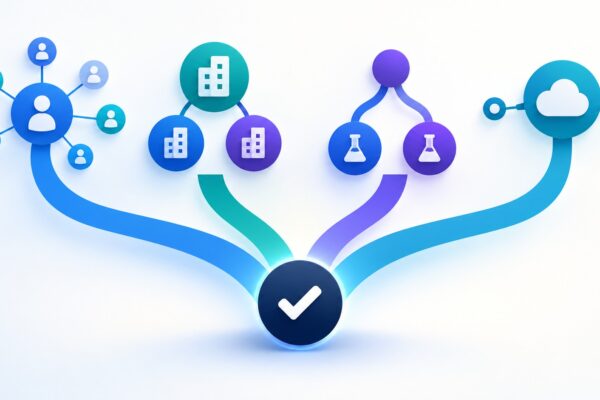
YouTube renamed BrandConnect as YouTube Creator Partnerships and describes creator tools in YouTube Studio alongside advertiser tools in Google Ads and Display & Video 360. The name change does not make the following actions interchangeable:
- Creator discovery and inquiries: brands find or contact creators, while eligible creators manage offers and their Media Kit in Studio.
- Brand Partner Access: a creator connects a specific sponsored video with a brand’s Google Ads account, sharing video-level reporting.
- Creator Partnerships Boost: a brand uses an authorized creator video in an ad campaign.
- YouTube Shopping affiliate: an eligible creator tags products and may earn a commission when viewers buy.
The first three support sponsorship campaigns; product tags and affiliate commissions follow a separate Shopping workflow. YouTube’s March introduction explains the BrandConnect rename and advertiser surfaces.
Availability: separate current tools from announced plans
| Tool or change | Status | What to check |
|---|---|---|
| Creator Partnerships tab in Studio | Available to eligible creators in supported locations. Creator Partnerships Help | YouTube’s Sep 23 blog says 20 countries; the current Creator Partnerships Help page exposes a different country/region list. Check the live list and whether the tab appears in Studio. |
| Creator Search, Overview and Lists in Google Ads | Google Ads Help says these core features expanded in June 2026 to active Ads accounts in YPP locations. | Account eligibility can determine which tabs appear. Brand-side access is a separate check from creator-side access. |
| Ask Studio help for brand briefs and pitches | Coming soon, according to the Sep 23 announcement. | Do not plan on it as a currently available workflow. |
| Dynamic brand segments | Still testing, according to YouTube’s announcement. | The announcement describes insertion into up to 20 long-form videos at once, regional targeting and a shelf with a direct call to action; it does not say this is generally available. |
| Shopping affiliate program expansion | Current Help page lists eligible locations; YouTube’s Sep 23 announcement says it plans to reach 35 countries by the end of 2026. | The announcement does not name the future countries. |
For the Creator Partnerships tab, YouTube lists a minimum age of 18, YPP membership, a supported country or region, and no active Community Guidelines strike. It says creator experience can vary by location. The Help page’s list is the place to verify current eligibility; the Sep 23 blog’s “20 countries” statement and the live page’s list do not align as checked on Sep 24. Check YouTube’s current Creator Partnerships eligibility page before promising access to a creator.
What creators can do
- Check Studio: open Earn and look for Creator Partnerships. If eligible, review the Media Kit, set preferred rates for long-form videos and Shorts, and keep the business contact email current. Offers surfaced there are not final contracts.
- Decide whether to share channel insights: YouTube recommends turning on insights sharing to give advertisers more context. It says a creator can still be discoverable when sharing is off, so this is optional.
- Review each inquiry: YouTube says choosing “Interested” shares the creator’s contact details with the brand. The creator and brand then negotiate and sign directly, and the brand pays the creator. You can decline an inquiry.
- Connect a sponsored video when the deal calls for it: during upload or editing, select the reported brand campaign if available. YPP creators can search for a brand or generate a code for a specific sponsored video; a brand can also send an access request after upload. Review the request before accepting it.
- Declare branded content: use Studio’s paid-promotion declaration when required and make the promotion clear to viewers. YouTube’s branded-content policy describes the platform requirement.
Before agreeing, put the commercial terms in writing: fee and payment timing, deliverables, review rounds, exclusivity, ad-use rights and duration, edits, and the reporting each side will receive. A platform inquiry is a way to start a conversation, not a substitute for those terms. For a broader campaign plan across creator sizes, see our broader micro-influencer campaign playbook.
What brands can do in Google Ads
Open Creator Partnerships from the Tools menu. Use Creator Search to find creators by topic or category, and Overview to review suggested sponsored videos and videos that mention your brand. Build a list, check the creator’s recent work and audience fit, then make a direct inquiry or link an existing campaign video. Google describes suggestions as discovery inputs; review the creator and campaign yourself.
For an existing brand deal, send a Brand Partner Access request to connect a video with the brand’s Google Ads account. The creator must grant access. A creator may instead generate a code for a specific sponsored video and share it with the brand; YouTube says that creator-generated code is available to YPP creators. The brand then adds the video to the right Ads account.
Once linked, the brand can view video-level metrics such as watch time, retention, engagement and audience information, with organic and paid breakdowns for some metrics. It can also use the video in Creator Partnerships Boost and build audience segments from organic viewers. Review YouTube’s brand partner access instructions and the Google Ads overview and code guide for the steps.
Access is not a license. Google says advertisers are responsible for securing sufficient rights to use a creator video as an ad; that may require a separate agreement with the creator or another rights holder. A code does not set the fee, usage period, edits, exclusivity or other contract terms. Confirm those terms before boosting. Creators can remove access later, which can end data-sharing and Boost benefits for that link.
Check ad-format support before building the campaign
Google Ads Help currently says creator videos can be used across Video Action, Demand Gen, Video Reach, Video View, App and Performance Max campaigns. The co-branded partnership format is more limited: it is unavailable in Video Action and Performance Max, and support varies by placement in Demand Gen, Video Reach, Video View and App campaigns. Review the current Creator Partnerships Boost compatibility table before committing to a placement.
Shopping affiliate tags are a different earning path
Creators in the Shopping affiliate program can tag participating products in eligible videos, Shorts and livestreams. The current Help page lists Argentina, Brazil, India, Indonesia, Japan, Korea, Malaysia, Mexico, the Philippines, Singapore, Taiwan, Thailand, the United States and Vietnam. YouTube’s minimum criteria include YPP membership, meeting the YPP subscriber threshold, a supported location, and channel/content restrictions. Check the live Shopping affiliate eligibility page because pilot rules can differ.
For affiliate campaigns, YouTube describes open offers with elevated rates and invite-only offers with custom commission rates or bonuses. Rates and attribution windows are set by the retailer or brand, and an interest form does not guarantee entry to the program.
There is one date-sensitive mismatch to check: the Sep 23 blog says Amazon product tagging is in the U.S. and will expand to India and Brazil in the coming weeks. The current Amazon tagging Help page already lists eligible Shopping affiliate creators in the U.S., Brazil and India. For U.S. creators it also requires an active Amazon Influencer or Associates account linked to the YouTube channel. Check Studio’s current eligibility before planning around a country rollout.
Keep campaign measurement in context
Brand Partner Access helps connect a sponsored video’s organic and paid results inside Ads; it does not make those views interchangeable with every public YouTube view or monetization measure. For the reporting change and the separate meanings of views, engaged views and qualified views, see our guide to YouTube views, engaged views and qualified views for reporting.
Frequently asked questions
Does a Creator Partnerships code give a brand permission to use the video?
No. It links a specific video for Brand Partner Access, metrics and eligible Boost features. YouTube says the brand is responsible for securing the usage rights, which may require a separate agreement.
Does a creator need to turn on channel insights sharing to be discovered?
No. YouTube recommends sharing insights because it gives brands more information, but says eligible creators may still be discovered when sharing is off.
Is Shopping affiliate tagging the same as a sponsorship?
No. Affiliate tagging can earn commission when a viewer buys a tagged product. A sponsored brand deal has separately negotiated deliverables and payment terms. Both need to follow YouTube’s disclosure rules when applicable.