

Xirp runs coding agents against local repositories; Spotify Portal supplies the organizational context around those repositories. A Portal-launched Xirp session can resolve code from the Software Catalog, associate the task with a shared Workspace, and retrieve relevant members, resources, decisions, wiki pages, and prior uploaded sessions through MCP.
The architecture matters because “give the agent more context” is usually too vague to implement. Spotify’s public design breaks the problem into distinct systems: local execution, catalog identity, curated Workspace knowledge, permission-aware retrieval, human-reviewed documentation, and manual transcript continuity. This article maps those boundaries from current official documentation; it does not claim access to Xirp’s proprietary source code or a public performance benchmark.
The architecture in one flow
| Stage | System | Documented action |
|---|---|---|
| 1. Identify the software | Portal Software Catalog | A catalog entity represents the component and points to its source location. |
| 2. Collect shared context | Portal Workspace | Members attach catalog entities, resources, records, links, wiki pages, and previous sessions. |
| 3. Launch the task | Portal → Xirp | The user chooses an eligible component/repository and opens a Workspace-associated session. |
| 4. Execute locally | Xirp + native coding-agent CLI | Xirp prepares or matches the local project/worktree and runs Claude Code, Codex, or Gemini CLI on the Mac. |
| 5. Retrieve context | Portal MCP endpoint | The agent requests a curated overview and deeper Workspace details when needed. |
| 6. Review and share learning | User + Workspace | The user may manually upload the eligible transcript; members review wiki suggestions before acceptance. |
This is a DMT interpretation of Spotify’s public documentation, not an official Spotify architecture diagram. For Xirp’s standalone desktop features and beta limits, use the Xirp product pillar. For the local installation and worktree procedure, use the step-by-step Xirp setup guide.
What each component means
Xirp desktop app
Xirp is the local Mac control surface. It owns projects, persistent terminal sessions, worktree preparation, Git/file views, local rules and skills, session status, notifications, and the multi-session grid. It starts the supported native coding-agent CLI; it does not become the model provider or replace that agent’s credentials and permission model.
Spotify Portal
Portal is the optional organizational layer. Its core features include a Software Catalog for components and ownership, Workspaces for shared task context, integrations that can enrich resources, and an MCP surface agents can query. Xirp can function without Portal, but the “institutional memory” proposition depends on this layer.
Software Catalog
The catalog gives software a durable identity. Spotify documents resolving a catalog entity such as component:default/my-service to a repository through the backstage.io/source-location annotation. Xirp can match an existing local project or prepare the repository automatically. The catalog also supplies ownership and relationships that are not necessarily visible from one repository checkout.
Workspace
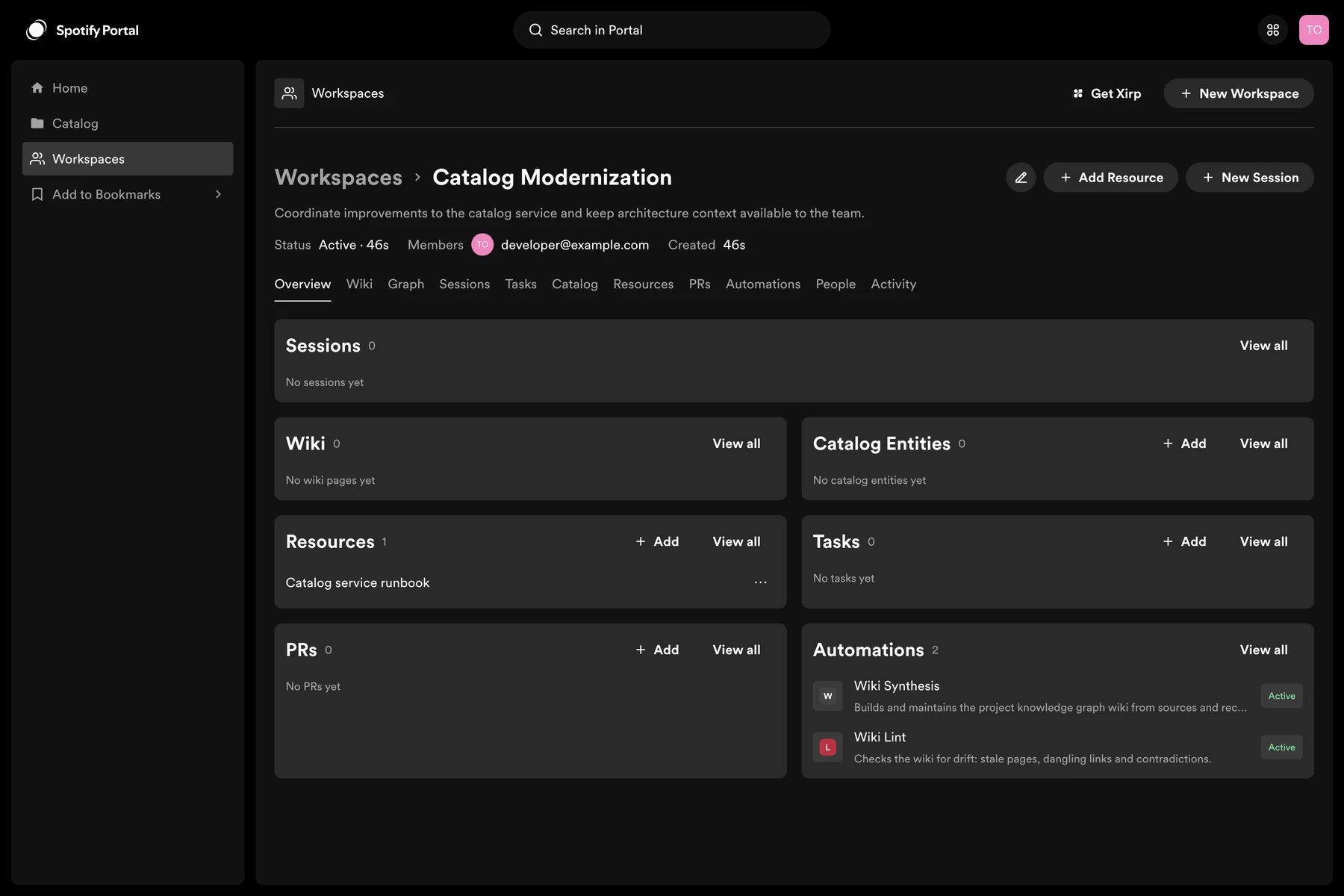
A Workspace means the shared context container in Portal. It can contain members, catalog entities, resources, records, wiki pages, and uploaded Xirp sessions. Only invited members and Portal administrators can see the complete Workspace. It is not the same thing as a local Xirp project or a Git working tree.
MCP endpoint
MCP is the retrieval path between an eligible agent session and Portal context. The agent can ask for Workspace metadata, members, catalog entities, resources, wiki pages, records, suggestions, and available prior session transcripts. Spotify’s docs emphasize loading detail when needed instead of inserting the full Workspace into the initial prompt.
Standalone Xirp versus Portal-connected Xirp
| Capability | Standalone Xirp | Xirp with Portal |
|---|---|---|
| Persistent local coding-agent terminals | Yes | Yes |
| Local projects, files, rules, skills, Git, worktrees, grid | Yes | Yes |
| Launch from Software Catalog entity | No | Yes |
| Resolve/clone repository from catalog metadata | No | Yes |
| Workspace members, resources, records, wiki through MCP | No Portal context | Yes, for eligible Portal-launched sessions |
| Prior shared session transcripts | Local history only | Available when eligible transcripts were manually uploaded and permissions allow access |
| Other independently configured MCP servers | Possible | Possible; Portal context is one specific MCP integration |
The distinction prevents a common architecture mistake: connecting Portal does not transform every local session into a context-aware Workspace session. Spotify says directly created Xirp sessions remain local and do not automatically gain Workspace context merely because Portal is connected. The session needs the eligible Portal launch path and association.
Repository discovery from catalog to Mac
- A Portal administrator connects an organization-level GitHub App and allows access to all or selected repositories.
- Portal ingests repositories, users, and groups into the Software Catalog.
- A catalog component contains a source location that resolves to its Git repository.
- A user opens the catalog entity or a Workspace containing that component.
- Xirp matches an existing local project or prepares/clones the repository.
- If several eligible components exist, the user selects which repository should anchor the session.
- The coding agent starts locally in the chosen project or worktree.
Current beta limits are important here. The official GitHub onboarding guide documents organization-level GitHub Apps, not user-owned apps, and says automatic monorepo onboarding is not supported. A Workspace without an eligible catalog component/source repository cannot launch the documented Xirp workflow.
How a Workspace curates context
| Context object | What it can represent | Reliability question |
|---|---|---|
| Catalog entity | Component, service, API, system, resource, user, or group | Is ownership/source metadata current? |
| Resource | Repository, pull request, document, runbook, design, dashboard, Slack channel, or link | Can members and the agent actually access it? |
| Record | Decision, plan, or discussion | Is it authoritative, superseded, or merely exploratory? |
| Wiki page | Structured overview, architecture, local development, operations, constraints, releases | Was the suggestion reviewed and are citations still valid? |
| Member | User or team allowed to access the Workspace | Does membership match current responsibility? |
| Session | Manually uploaded Xirp conversation/tool/file-change history | Was sensitive material removed, and is the result still relevant? |
Spotify recommends resources that are current, authoritative, understandable outside the immediate team, and narrow enough to be relevant. That is an information-quality policy, not merely an ingestion feature. A Workspace full of stale links and ambiguous decisions can make retrieval faster while making the answer worse.
Progressive MCP retrieval instead of one enormous prompt
At session start, the agent can request a curated project overview. It then asks for deeper details only when needed. This is the strongest documented architectural idea in the product: the initial context becomes an index and orientation layer rather than a dump of every document the team owns.
- Load the Workspace goal, members, attached catalog entities, and high-level overview.
- Identify which decision, resource, wiki page, or prior session could answer the current uncertainty.
- Retrieve that specific object through MCP.
- Distinguish repository evidence from Portal evidence in the response.
- Cite the file, record, resource, or wiki page behind an important conclusion.
- Request another source only if the first one leaves a material gap.
This is a concrete example of the progressive-disclosure pattern in context engineering. It can reduce irrelevant context, but it creates a retrieval evaluation problem: did the agent choose the correct object, understand its authority, and notice conflicting evidence?
The human-reviewed Workspace wiki loop
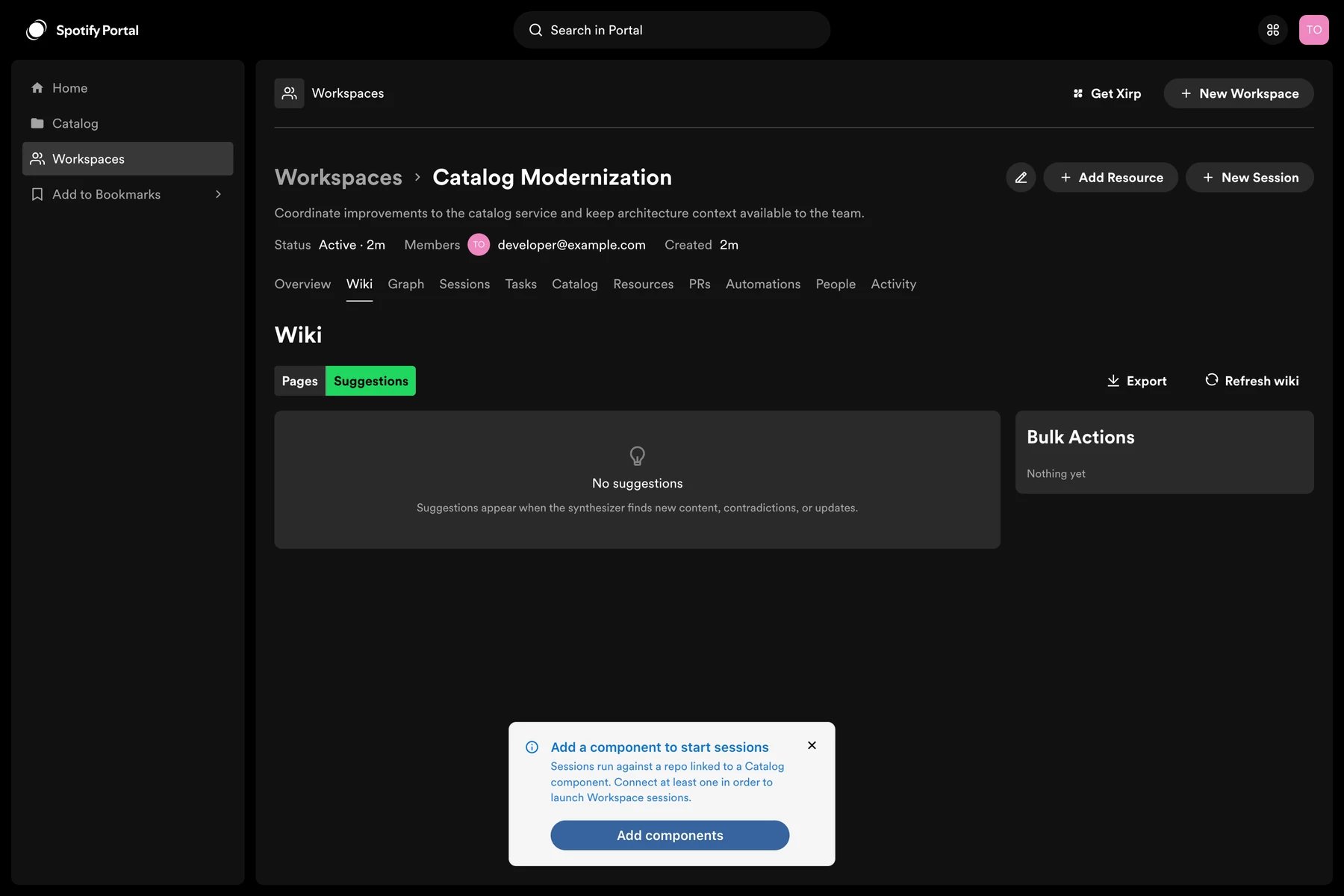
Portal’s Workspace wiki uses what Spotify calls a seed-and-maintain model. Portal reads Workspace metadata and resources, proposes an initial page structure, and creates suggestions as resources or decisions change. A Workspace member chooses to accept, reject, or dismiss each suggestion.
- Wiki Index: an automatically maintained table of contents.
- Wiki Log: an automatically maintained record of generated activity.
- Wiki Schema: editable instructions governing future suggestions, including page links, slugs, categories, ownership, source citations, and useful page types.
A Xirp session with Workspace MCP access can suggest a wiki update and, when permitted, create or update pages. Spotify’s own example favors a suggestion with cited evidence when human review is required. This is the correct default for architectural knowledge: the agent can propose the memory, but a responsible member decides whether it becomes shared truth.
Session continuity is manual, not automatic
An eligible Workspace-associated session can be uploaded after the work. The transcript may include the full conversation, tool calls, file changes, native agent reasoning, file paths, and code excerpts. Authorized members can inspect it, and future sessions can retrieve it through MCP.
That continuity has a deliberate human gate because Xirp does not automatically redact secrets, credentials, personal data, customer data, or restricted source content. “Store every session so the next agent knows more” is not a safe policy. The organization needs a classification rule, a review step, and a clear reason why a transcript belongs in shared memory.
Permissions and trust boundaries
| Boundary | What it governs | What it does not govern |
|---|---|---|
| Portal identity/Workspace membership | Which Portal context and transcripts the user/session may access | Native agent filesystem, shell, or network permissions |
| GitHub App repository selection | Which repositories Portal may ingest/discover | Every local repository already present on the Mac |
| Native agent sandbox/permissions | File changes, commands, network calls, and approvals performed by the agent | Whether a Portal resource is current or authoritative |
| Git worktree | Separate branch and checkout for a task | Process sandboxing, secret isolation, correctness, or safe merge |
| Transcript upload review | Whether session history is shared with the Workspace | Information already sent to the native agent provider during execution |
The separation mirrors the general production-control model in my AI agent harness analysis: context helps the agent interpret a task; permissions constrain execution; validation tests the result; and release approval decides what reaches a shared system.
Common failure modes
- No resolvable repository: the Workspace lacks an eligible catalog component or correct source-location annotation.
- Missing Workspace: the user connected Portal but was never added as a member.
- Stale ownership: the catalog identifies the wrong team, so the agent escalates or retrieves context incorrectly.
- Resource without access: a link is visible, but the current identity or integration cannot read it.
- Context dumping: too many broad resources make the overview less discriminating.
- Contradictory wiki pages: accepted pages and source resources disagree after an architecture change.
- Unreviewed transcript exposure: a useful session also contains secrets, customer material, personal data, or restricted code.
- Permission confusion: a user assumes Portal access controls also constrain the native coding agent’s local actions.
Questions a platform team should answer before a pilot
- What percentage of target components have accurate owners and resolvable source locations?
- Which Workspace resources are authoritative, and who removes stale ones?
- What evidence should an agent cite before acting on a decision or operational rule?
- How will you evaluate whether MCP retrieval selected the right context rather than merely more context?
- Who can add members, resources, records, and wiki content?
- What session classes may never be uploaded?
- Who reviews transcript contents, and what retention/deletion rules apply?
- Which native-agent permissions are allowed in a Portal-launched session?
- What is the rollback path when catalog or wiki context is wrong?
Official Spotify video: the broader Portal strategy

For operators working specifically inside OpenAI’s environment, my Codex workflow guide provides the adjacent native-agent perspective. Portal’s Workspace MCP context can also be used from other compatible clients; Xirp is the integrated Spotify launch-and-upload path, not the only possible MCP client.
Bottom line
Spotify’s documented architecture is not “put the company wiki into the prompt.” It is a governed retrieval loop: identify the component, assemble a permission-aware Workspace, orient the agent with a curated overview, retrieve specific evidence through MCP, execute locally under native permissions, and share only reviewed learning. The potential advantage comes from the quality and governance of that loop—not from the number of documents attached to it.
