

Spotify Xirp is not a new AI model. It is a proprietary macOS desktop environment for running and managing persistent sessions with Claude Code, OpenAI Codex, and Gemini CLI. It adds projects, Git worktrees, session monitoring, files, rules, skills, and a multi-terminal control surface. An optional Spotify Portal connection adds organizational context from the Software Catalog and Workspaces through MCP.
Spotify Engineering announced Xirp on August 10, 2026, describing it as a vendor-neutral agentic development environment and saying more than 1,300 Spotify engineers use it. That adoption number is Spotify’s public claim; I found no independent audit of it. The much more useful question is what the public beta actually does, what it leaves to the underlying coding agents, and where its present limits sit.

Xirp in one sentence
Xirp is a Mac desktop harness that starts supported coding-agent CLIs in persistent local terminal sessions, organizes those sessions by project and worktree, and optionally connects them to Spotify Portal’s catalog and Workspace context.
| Xirp is | Xirp is not |
|---|---|
| A desktop control surface for supported coding-agent sessions | A foundation model or a replacement for Claude, GPT, or Gemini |
| A project, terminal, Git, worktree, file, rules, and skills workspace | A source-control provider or a hosted Git service |
| A way to run Claude Code, Codex, and Gemini CLI from one interface | A translation layer that makes their models, credentials, permissions, or prices identical |
| Optionally integrated with Spotify Portal and Workspace MCP context | Dependent on Portal for basic local projects or sessions |
| A proprietary macOS beta | An open-source framework, Windows/Linux application, or documented server platform |
What Spotify actually announced
The launch post makes three material claims: Xirp is intended to be vendor-neutral, it manages sessions across Claude Code, Gemini CLI, and OpenAI Codex, and it already has broad internal adoption at Spotify. The linked Xirp product page frames the larger problem as institutional memory: an agent may understand the file in front of it but still lack service ownership, dependency, documentation, and architectural-decision context.
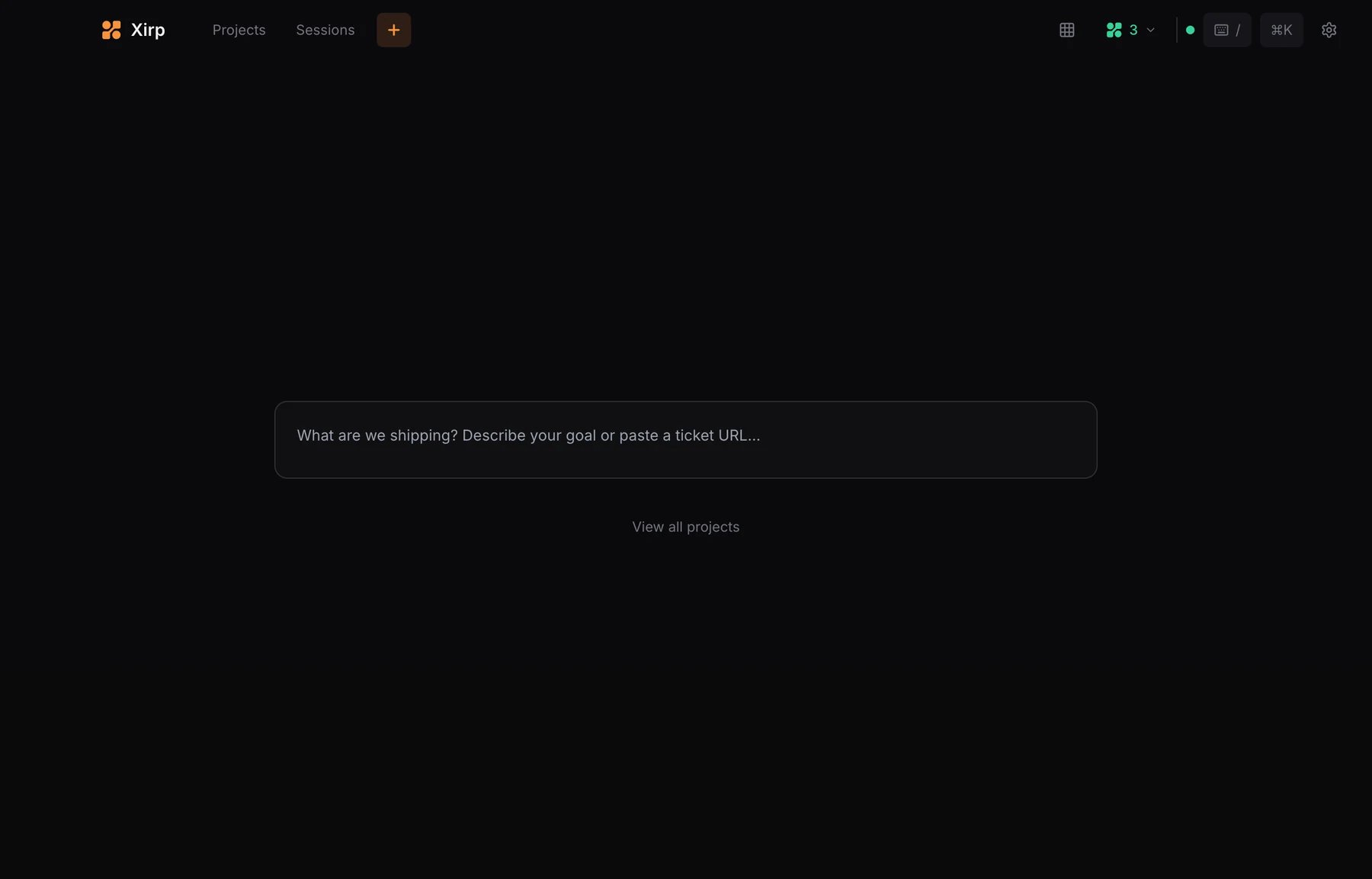
The public documentation narrows the marketing description into a concrete product. According to the official Xirp overview, the beta is a macOS desktop application that runs coding agents in persistent terminals, supports isolated Git worktrees, exposes local project files and instructions, and can connect eligible sessions to Portal context. This is closer to an integrated agent workspace than to an autonomous software engineer running in Spotify’s cloud.
The five layers in a Xirp workflow
1. The model and provider
The reasoning model, usage plan, provider terms, model limits, and service availability still come from Anthropic, OpenAI, or Google. Xirp does not make these providers interchangeable at the commercial or model-capability level.
2. The native coding-agent CLI
Claude Code, Codex, or Gemini CLI remains the process performing the agent work. You install and authenticate that CLI using its native flow. Its credentials, model choices, reasoning settings, sandbox, permission prompts, autonomous modes, and provider-specific configuration remain native. This matters because Xirp is not a universal security policy that sits above three identical workers.
3. The Xirp project and session layer
A project is a folder on the Mac. A session is a persistent terminal running a coding agent, optionally inside that project’s main checkout or a dedicated Git worktree. One project can hold several sessions. Xirp supplies the visual layer for starting them, monitoring their state, navigating files, inspecting Git changes, and returning to previous terminals.
4. Git worktree isolation
A new-worktree session receives its own branch and checkout. That reduces the obvious collision where two agents modify the same working directory at once. It does not make the task safe by itself: the agent can still write bad code, expose a secret, make network calls allowed by its native permissions, or create changes that conflict when later integrated. If you want a broader treatment of this distinction, my guide to AI agent harnesses and production controls explains why orchestration and execution controls are different layers.
5. Optional Portal and Workspace context
Spotify Portal adds organizational information around the local code. A session launched from a Software Catalog entity or Portal Workspace can use MCP to retrieve Workspace metadata, members, catalog entities, resources, wiki pages, records, suggestions, and previous uploaded session transcripts. Portal can also resolve a catalog component to its source repository. The local agent and repository workflow remain on the Mac.
What runs locally
- General terminal sessions that are not attached to a project.
- Project sessions whose working directory is a local folder.
- Supported coding-agent CLI processes.
- Git repositories, branches, worktrees, diffs, and commit operations.
- Project file browsing and editing.
- Repository and global instructions such as
AGENTS.md,CLAUDE.md, and supported agent configuration files. - Reusable agent skills found in supported global or project skill folders.
- Xirp application state under
$XIRP_HOME, which defaults to~/.xirp.
The official FAQ says registering a local project does not upload its files to Portal. It also says sessions persist when the app closes and reopens. Claude Code’s own local history remains in its native storage; Xirp reads but does not write that history.
What Xirp manages—and what remains native
| Responsibility | Primary owner | Practical meaning |
|---|---|---|
| Choose and launch a supported agent for a session | Xirp | Xirp detects installed supported CLIs and starts the selected one. |
| Model, credentials, account, quota, and provider terms | Native agent/provider | Configure and authenticate each CLI separately. |
| Reasoning and most agent-specific settings | Native agent | Xirp exposes only tested launch controls; it does not normalize every setting. |
| Sandbox, permission prompts, bypass/autonomous behavior | Native agent | A permissive native configuration remains permissive inside Xirp. |
| Persistent terminal, session navigation, status, notifications, grid | Xirp | These are the desktop orchestration features. |
| Branch and checkout separation | Xirp plus Git | Xirp creates and tracks Git worktrees for eligible projects. |
| Organizational catalog and Workspace context | Portal | Available only when Portal is connected and the session is launched through an eligible catalog/Workspace path. |
| Transcript review and upload decision | User/organization | Upload is manual and the transcript is not automatically scrubbed. |
This division is also why Xirp should not be treated as a replacement for a mature native-agent workflow. For example, my Codex workflow guide covers work performed inside the Codex ecosystem; Xirp would be an additional session-management layer around that tool, not a substitute for its native capabilities.
How Xirp supports parallel agent work
The core parallel-work pattern is deliberately simple: create a project for a repository, start a separate session for each independent task, and give write-heavy tasks their own worktrees. Xirp’s grid view can place several live terminals in one window. Session hooks distinguish states such as Working, Idle, Waiting, Finished, or Failed, so an operator can see which task needs attention without opening every terminal.
That is operator visibility, not automatic coordination between agents. Two sessions do not become a coherent team just because their terminals appear in a grid. Goals still need unambiguous ownership, branch boundaries, integration order, review criteria, and a human decision about when work is ready. The same distinction appears in my practical guide to subagent orchestration: concurrency helps only when task boundaries and accountability are explicit.
Xirp without Portal versus Xirp with Portal
| Capability | Xirp alone | Xirp + Portal |
|---|---|---|
| Persistent Claude Code, Codex, and Gemini sessions | Yes | Yes |
| Local projects and general sessions | Yes | Yes |
| Git worktrees and local Git views | Yes, for eligible repositories | Yes, for eligible repositories |
| Files, rules, skills, session hooks, notifications, grid | Yes | Yes |
| Launch from a Software Catalog entity | No | Yes |
| Resolve/prepare repository from catalog metadata | No | Yes |
| Workspace wiki, records, resources, members, prior sessions through MCP | No Portal context | Yes, for eligible Portal-launched sessions |
| Upload a completed transcript to a Workspace | No | Manual upload for eligible sessions |
Portal is therefore optional but strategically important to Spotify’s product story. Standalone Xirp improves the local operating surface. Portal adds the shared context layer that can survive beyond one engineer and one terminal session.
What “institutional memory” means in the public documentation
The phrase can sound abstract, but Spotify documents several specific mechanisms:
- A Portal Workspace groups catalog entities, links, documents, work items, decisions, people, wiki pages, and uploaded Xirp sessions.
- A Workspace-launched session can request a curated overview before coding.
- The agent retrieves deeper details through MCP as needed instead of placing every document in the initial prompt.
- Portal can generate wiki suggestions from Workspace resources, but a Workspace member reviews them before acceptance.
- An eligible completed session can be uploaded manually so authorized members and future sessions can retrieve it.
This is a product-specific implementation of the broader context-engineering principle of progressive disclosure: give an agent enough orientation to choose the next source, then retrieve detail when the task needs it. It does not prove that every stored document is current or that the agent will always select the right source. Catalog quality, permissions, resource maintenance, citations, and human review still determine whether the context is trustworthy.
The current beta limitations
- macOS only: the beta does not support Windows or Linux.
- Work email required: the FAQ says personal email providers are not accepted for sign-up.
- Proprietary software: Spotify explicitly says Xirp is not open source.
- Three supported agents: Claude Code, Codex, and Gemini CLI are the documented current set.
- Manual transcript upload: eligible Workspace session transcripts are not uploaded automatically.
- No automatic redaction: transcripts can contain prompts, tool calls, file changes, reasoning, file paths, and code excerpts.
- GitHub onboarding constraints: the current beta uses organization-level GitHub Apps; user-owned GitHub Apps and automatic monorepo onboarding are not supported.
- No documented server or SSH-hosting mode: the FAQ says Xirp runs locally on the Mac.
- Preview assurances are limited: the public preview terms describe Xirp as experimental and primarily intended for internal evaluation/testing, without preview SLA, support-guideline, or third-party-attestation coverage.
A material wording conflict: “remotely” versus no remote hosting
The product landing page says users can run sessions “locally or remotely.” The current FAQ is narrower: it says there is no server deployment or SSH session-hosting mode and that Xirp runs locally on the Mac. Those two statements are not precise enough to reconcile from public evidence alone.
For practical guidance, I would follow the narrower technical documentation: treat the current public beta as a local Mac application unless Spotify documents what “remotely” means. It could refer to a future capability, an agent-specific remote execution path, or another workflow, but choosing among those possibilities would be speculation.
Security and privacy boundaries worth noticing now
Connecting Portal does not automatically upload local source files. Optional pseudonymous telemetry excludes prompts, code, file paths, and free text according to the FAQ, and it can be disabled in Settings or with XIRP_TELEMETRY=0. Those are useful boundaries, but they do not make the entire workflow data-free.
The coding agent still communicates according to its own provider and configuration. A manually uploaded transcript is much broader than usage telemetry and is not automatically scrubbed. Debug exports can also contain local paths, repository names, and diagnostic information. A responsible pilot needs separate decisions for native-agent permissions, telemetry, transcript upload, Workspace membership, retention, and support exports.
Who should evaluate Xirp now?
| Situation | Current fit | Reason |
|---|---|---|
| Mac-based engineer running several supported coding agents or repositories | Strong evaluation candidate | Persistent sessions, visibility, and worktree management address a real operating problem. |
| Platform team already using or evaluating Spotify Portal | Strategic evaluation candidate | Catalog and Workspace context are the product’s most differentiated documented layer. |
| One agent, one repository, one terminal at a time | Optional | The control surface may be convenient, but the additional layer may not solve a significant problem. |
| Windows- or Linux-first engineering team | Wait | The current beta is macOS only. |
| Team requiring server-hosted or SSH-managed sessions | Wait or seek clarification | The FAQ says those modes are not currently available. |
| Highly regulated team needing mature attestations and SLA | Limited non-sensitive evaluation only | The preview terms explicitly limit current assurances. |
A practical Xirp evaluation checklist
- Choose one real operating problem. Examples include terminal sprawl, parallel repository work, or missing ownership context. Do not start with a vague “use more AI” objective.
- Use a non-sensitive repository. The preview is experimental, and each native agent retains its own network and file permissions.
- Define the agent configuration. Record the chosen CLI, model/account, sandbox, approvals, autonomous-mode policy, and network access.
- Set a worktree rule. Use a dedicated worktree for independent write tasks; define who reviews integration and removes branches.
- Decide whether Portal is necessary. Test standalone Xirp first if the problem is session management. Add Portal only when catalog/Workspace context is part of the hypothesis.
- Default transcript upload to review-required. Do not assume secrets, customer data, or restricted source will be scrubbed.
- Measure accepted outcomes, not generated activity. Track completed tasks, review effort, defects, rework, context failures, and time spent resolving conflicts.
- Set an exit condition. Know what would cause the pilot to stop: unsupported platform, missing assurance, permission risk, unreliable context, or operational overhead.
Verified, claimed, and still unknown
| Evidence state | Examples |
|---|---|
| Documented in current official sources | macOS beta; supported agents; persistent sessions; worktrees; Portal optionality; MCP context; manual transcript upload; proprietary status; current limitations. |
| Spotify company claim | More than 1,300 Spotify engineers use Xirp; institutional-context positioning; expected benefits described on the product page. |
| Not established publicly | Independent productivity gain, defect reduction, ROI, production reliability, final pricing, general-availability date, Windows/Linux roadmap, precise remote-session behavior, public implementation, or independent compliance assurance. |
My assessment
Xirp’s most interesting idea is not “three agents in one app.” Terminal multiplexers and worktree workflows already exist. The important proposition is that the control surface and the organization’s context layer can be designed together: the session starts in a real repository, knows which system it belongs to, can retrieve curated organizational evidence, and may leave reviewed history for the next person or agent.
That proposition is credible enough to test, but the public evidence does not yet support a production-readiness or productivity verdict. Xirp is a new proprietary Mac beta with material platform, hosting, transcript, and preview-assurance limits. Evaluate it as an operating system for agent sessions—not as a better model—and judge it by accepted work, context accuracy, review burden, and risk.
For readers approaching this from marketing operations rather than software engineering, the broader primer on what agentic AI changes in marketing workflows provides the business-level context. Xirp itself remains a developer-environment product; its lesson for marketers is the importance of context, permissions, orchestration, and measurable accepted outcomes.
Continue through the Xirp topic cluster
| Your next question | Dedicated guide |
|---|---|
| How do I install Xirp, register a project, launch a session, and use worktrees? | Set up and use Spotify Xirp safely |
| How do Portal, Workspaces, the Software Catalog, wiki pages, session history, and MCP fit together? | Understand the Xirp Portal/MCP architecture |
| What local data, permissions, telemetry, transcript, preview-term, and governance risks need review? | Use the Xirp security and privacy pilot checklist |
| Does Xirp replace Claude Code, Codex, or Gemini CLI, and when is the extra layer useful? | Compare Xirp with the native coding agents |
Frequently asked questions
Is Spotify Xirp open source?
No. Spotify’s current FAQ describes Xirp as proprietary software.
Does Xirp replace Claude Code, Codex, or Gemini CLI?
No. It runs and manages those native coding-agent CLIs. Their credentials, models, permissions, sandbox behavior, and most agent-specific settings remain native.
Do you need Spotify Portal to use Xirp?
No. Local projects, persistent sessions, worktrees, files, rules, skills, and grid view work without Portal. Portal adds catalog-based launch, repository resolution, Workspace MCP context, and manual transcript sharing.
Does Xirp upload local code to Portal?
Registering a project or connecting Portal does not automatically upload local source files. A user can manually upload an eligible session transcript, which may contain code excerpts and other sensitive session content.
Can Xirp run on Windows, Linux, or a remote server?
The current documented beta is macOS only. The FAQ says there is no server deployment or SSH session-hosting mode today, despite broader “locally or remotely” wording on the product landing page.
Sources checked August 11, 2026: Spotify Engineering’s official X announcement; Xirp product site; official Xirp overview, getting-started, projects, sessions, settings, Portal, Workspace, FAQ, changelog, GitHub-onboarding documentation; and public Xirp Preview Terms. Product behavior and beta terms may change.
