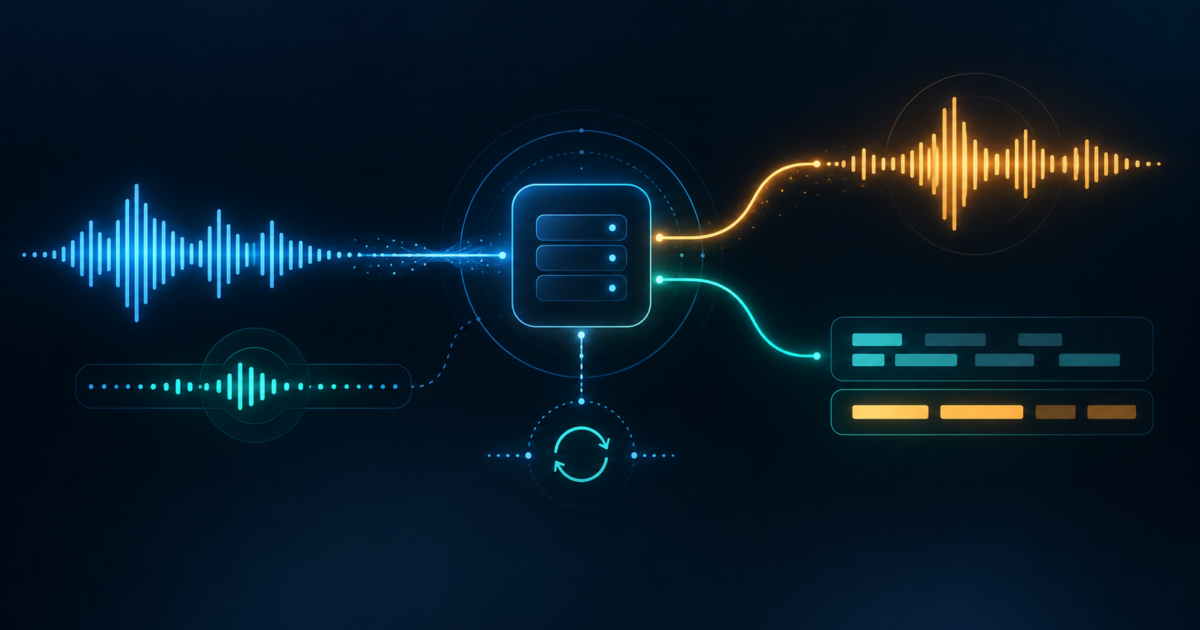
Short answer: choose gemini-3.8-live when the product must listen, reason and speak back in one low-latency conversation; choose gemini-3.5-transcribe-live when the product needs a continuous stream of text; choose gemini-3.5-transcribe when it is processing a recording and needs speaker labels or word-level timestamps. These endpoints share the Gemini audio family, but they are not interchangeable.
The Gemini 3.8 Live API overview covers the broad model, pricing and status picture. This guide answers the build question: how to select the endpoint, move 16 kHz PCM through a WebSocket, handle voice activity and transcript events, keep browser credentials safe, design reconnects, and avoid asking an endpoint to do something it does not support.
Pick the endpoint before you write the pipeline
| Product job | Endpoint | Primary output | Use this path when |
|---|---|---|---|
| Native voice agent | gemini-3.8-live | Streamed audio, with optional input/output transcripts | The model should understand speech, reason and answer aloud in the same Live session. |
| Higher-reasoning voice agent | gemini-3.8-live-extended-thinking | Streamed audio plus background reasoning events | The agent can speak progress updates while asynchronous tools or multi-step reasoning continue. |
| Live captions, dictation or speech commands | gemini-3.5-transcribe-live | Interim and final text transcription | Your application, not Gemini, owns the downstream LLM, command router or record store. |
| Meeting, call or file transcription | gemini-3.5-transcribe | Text with optional word annotations | The audio is already recorded and you need speaker diarization, word timings or up to one hour of file processing. |
Google’s Gemini 3.5 Transcribe model page lists the unary and Live model strings together, but they represent different transport and output contracts. The Live transcription guide calls the Live endpoint a dedicated speech-recognition pipeline rather than a conversational agent. Treat that distinction as an architectural decision, not a configuration detail.
What each endpoint can and cannot own
| Capability | Gemini 3.8 Live | Gemini 3.5 Transcribe Live | Gemini 3.5 Transcribe |
|---|---|---|---|
| Audio input | Supported; native Live sessions use raw PCM input | Supported; raw 16-bit PCM input | Supported; audio files, up to one hour per request |
| Audio output | Supported through AUDIO response modality | Not the job of this endpoint; response modality is TEXT | Not supported; output is text and annotations |
| Live conversation and interruptions | Supported | Continuous transcription stream, not spoken dialogue | Not a streaming conversation endpoint |
| Function calling and Google Search | Supported; your application executes and returns tool results | Not supported by the model contract | Not supported by the model contract |
| Thinking | Interleaved reasoning; Extended Thinking is a separate model ID | Not supported | Not supported |
| Language and vocabulary controls | Use Live model instructions and application controls | Automatic language detection, BCP-47 hints, Smart/Verbatim modes and up to 1,000 custom terms | The same transcription controls plus file-oriented annotations |
| Speaker diarization and word-level timestamps | Not a documented Live-agent output contract | Not supported in live streaming | Supported; diarization is up to eight speakers and feature-enabled files are limited to 30 minutes |
| Code execution, file search, URL context and structured outputs | Not supported on the current 3.8 Live model page | Not supported | Not supported |
For a native agent, keep the model’s tool surface narrow. A function declaration is not permission to change a CRM, send a message or book an appointment. The application must validate arguments, check the user’s authorization, execute the function, and return a bounded FunctionResponse. For transcription, keep the endpoint even narrower: it returns text and does not call your business tools for you.
A reference architecture that survives both paths
Use a small set of explicit boundaries so the audio transport does not become the business-logic layer:
- Capture: obtain microphone or approved recording input, show that the system is listening, and normalize it to the endpoint’s audio contract.
- Turn detection: use the server’s automatic VAD first; add client VAD only when you have a measured reason to finalize sooner or protect a device-specific experience.
- Session gateway: authenticate the user, choose the allowed model/configuration, and issue a server-side API key connection or a constrained ephemeral token.
- Live transport: open one bidirectional WebSocket and stream small audio chunks. Keep sending and receiving asynchronous so a slow playback sink cannot stop capture.
- Event normalizer: turn provider messages into your own states, such as
connected,interim,final,audio,tool_pending,interrupted,endingandclosed. - Product layer: a native agent routes audio to playback and transcripts to captions/logging; a Transcribe Live pipeline routes final text to your LLM, command classifier or record system.
- Action worker: run external functions outside the audio loop. Require confirmation for mutations, apply idempotency, and return a concise result rather than raw HTML or an unbounded document.
- Audit and retention: store only the transcript, audio and metadata your product needs. Keep interim hypotheses separate from final text and record why a session ended.
This separation also gives you a fallback. If native speech-to-speech is unavailable for a project, you can route the same captured audio to Live Transcribe and a text model, but the result is a different product with different latency, cost and turn-taking behavior. Do not silently present it as equivalent.
The media contract: PCM in, events out
Google’s Live SDK guide and Live transcription examples document raw 16-bit PCM at 16 kHz, mono and little-endian for input. The transcription guide uses roughly 100-millisecond chunks, with 1,024 to 2,048 frames. At the other end, native Live audio is returned as streamed parts at 24 kHz.
Do not put MP3, WebM or an encoded microphone container into a field that expects PCM bytes. Resample once at the boundary, label the MIME type as audio/pcm;rate=16000, and test that your byte count, channel count and sample rate stay constant under Bluetooth, browser and mobile paths. If the app sends video to a native Live agent, send individual image frames and respect Google’s maximum of one frame per second.
A single server event can carry more than one content part. Iterate every part rather than assuming that one event means one audio chunk or one transcript. For Live Transcribe, the Python SDK exposes snake-case fields such as interim_input_transcription and input_transcription; JavaScript uses the corresponding camel-case names.
Model the event state machine explicitly
| Event or state | Meaning | Application response |
|---|---|---|
| Setup complete | The WebSocket accepted the model and configuration | Start capture only after the session is ready; record the selected model ID. |
interimInputTranscription | Speculative text while speech is still arriving | Render a preview caption; do not commit it as the canonical utterance. |
inputTranscription | Finalized text for the current speech segment | Commit once, attach a segment/session ID and pass it downstream if needed. |
modelTurn.parts[].inlineData | A native Live audio part | Decode and queue audio; process all parts in the event. |
toolCall | The native agent asks the application to run a declared function | Validate, authorize, execute or reject, then send send_tool_response. |
turnComplete | The current spoken turn is complete for the standard Live model | Return the UI to listening only after draining/clearing playback correctly. |
interactionStatus: IN_PROGRESS | Extended Thinking may still be reasoning or waiting on an asynchronous tool | Keep the interaction busy; do not treat turnComplete as final. |
interactionStatus: IDLE | Extended Thinking has completed the full interaction | Allow the next user turn and finalize any pending tool state. |
GoAway | The current WebSocket will close soon | Save the latest resumption handle, stop starting new work, and reconnect deliberately. |
For captions, keep two buffers: a replaceable interim buffer and an append-only final buffer. For a voice agent, keep playback state separate from transcript state. When the user barges in, stop and clear queued model audio immediately, then wait for the next valid server event before writing the new turn to history. Never infer a successful business action from a spoken sentence alone.
Voice activity detection is a product decision
The Live API’s automatic VAD is enabled by default. It detects speech start and stop on the server, which is a sensible baseline when you do not yet know the noise profile of your devices. If the application disables automatic detection, it must send explicit activityStart and activityEnd signals.
Google’s Live transcription guide also documents a hybrid pattern: retain server-side speech-start detection, use a client-side VAD to detect silence, and send audio_stream_end to finalize sooner. Treat that as a measured optimization. A silence threshold that is perfect in a quiet headset can clip the first word in a car or leave a meeting room open indefinitely.
Test at least four cases before tuning thresholds: a short phrase followed by silence, a long phrase with a thinking pause, a user interrupting model audio, and background speech that should not become a command. Keep a small pre-roll buffer so an aggressive start detector does not cut off the first syllable, and keep a hard session timer even when VAD appears healthy.
Native agent path: gemini-3.8-live
Use the native path when spoken dialogue is the product rather than an intermediate transport. Configure response_modalities=["AUDIO"]; enable input and output audio transcription when your UI or audit record needs text. The model supports function calling and Google Search, but the Live API requires your client to handle tool responses manually. A non-blocking function can run while the conversation continues; its response can be scheduled to interrupt, wait until idle or remain silent.
gemini-3.8-live-extended-thinking is not a drop-in latency toggle. It supports low, medium and high thinking levels, requires non-blocking function declarations, and emits interaction_status while background work continues. Build the UI around that state before choosing the model. A “done” sound after the first filler response is a lifecycle bug, not a voice-design preference.
Keep mutating tools behind a confirmation turn. A safe first tool is a read-only lookup with a deliberately invalid argument path. Return a short structured summary to the agent and log the full result on the application side. Do not pass a whole webpage, raw HTML or a database row with secrets into a spoken model; noisy context can slow generation and cause the agent to read irrelevant navigation or private fields aloud.
Transcription-first path: gemini-3.5-transcribe-live
Use Live Transcribe when the authoritative product output is text: live captions, dictation, searchable notes, speech commands or a transcript that another model will interpret. Configure response_modalities=["TEXT"] and input_audio_transcription. The endpoint streams interim and final input text while the speaker talks; it does not return native speech and does not perform your downstream action.
Language behavior is configurable without hardcoding one locale. Empty language_codes enables automatic detection, including mid-session code switching; explicit BCP-47 hints such as en-IN or hi-IN bias the session toward a known language. Google lists more than 85 supported languages for Gemini 3.5 Transcribe, including Indian English, Hindi, Kannada, Malayalam, Marathi, Punjabi, Bengali and Telugu. Verify the exact language list and project access before promising coverage to users.
Choose VERBATIM when a legal or research record needs the spoken wording, including fillers and false starts. Choose SMART when captions or notes should remove disfluencies and format lists, dates and numbers. Smart output is a cleaned transcript, not a verbatim recording. Custom vocabulary accepts up to 1,000 terms, while Google’s guidance says best results typically occur with up to 100; test brand names, people and domain jargon using the same microphones your users will use.
Live Transcribe does not provide speaker diarization or word-level timestamps. If the reader needs those annotations, upload or retain the recording and run the unary gemini-3.5-transcribe endpoint after the call. That endpoint supports up to one hour of audio, up to eight speakers, and word-level timestamps; when diarization or timestamps are enabled, the file-processing limit is 30 minutes. This is a deliberate two-stage architecture, not a switch to turn on inside the Live stream.
Browser, mobile and server authentication
For a server-to-server design, keep the Gemini API key in the backend and let the backend own the WebSocket. For a browser or mobile client that must connect directly for a shorter media path, use a constrained ephemeral token. Google’s token flow is: authenticate the client to your backend, mint a short-lived token, return it to the client, and use it for one Live connection.
The current token documentation says the default token gives roughly one minute to start a session and 30 minutes to send messages over that connection. A token can be locked to a specific model and configuration. That constraint prevents a client from changing the allowed endpoint or system configuration, but it does not replace your application’s user authentication, consent, quota policy or abuse controls.
A framework such as LiveKit Agents’ Google integration can provide WebRTC transport, frontend SDKs, SIP/telephony options and an agent runtime around Google’s API. That is a separate infrastructure choice. LiveKit documents both a single realtime speech-to-speech model and an STT/LLM/TTS pipeline; its Gemini STT page also notes that streaming Transcribe Live has no word timings, per-word confidence or speaker labels. Treat partner setup and cloud billing as additional dependencies, not as part of Gemini’s model contract.
A small official-pattern example (not executed)
The following Python example follows Google’s current GenAI SDK pattern for Live Transcribe. It streams a local raw PCM file in small chunks and prints interim and final text. It is not executed: no authorized Gemini credential, project, microphone, browser or audio device was available for this article. A production implementation still needs cancellation, reconnection, back-pressure, logging and a real audio capture layer.
Prerequisites: Python, the current google-genai package, a Gemini API project with access to gemini-3.5-transcribe-live, a server-side GEMINI_API_KEY, and a raw mono 16 kHz PCM16 file. Do not place a long-lived API key in browser or mobile code.
import asyncio
import os

from google import genai
from google.genai import types

MODEL = "gemini-3.5-transcribe-live"
CHUNK_BYTES = 3200  # about 100 ms: 16,000 samples/sec * 2 bytes

async def send_pcm(session, path):
    with open(path, "rb") as audio_file:
        while chunk := audio_file.read(CHUNK_BYTES):
            await session.send_realtime_input(
                audio=types.Blob(
                    data=chunk,
                    mime_type="audio/pcm;rate=16000",
                )
            )
            await asyncio.sleep(0.1)
    await session.send_realtime_input(audio_stream_end=True)

async def main():
    client = genai.Client(api_key=os.environ["GEMINI_API_KEY"])
    config = types.LiveConnectConfig(
        response_modalities=["TEXT"],
        input_audio_transcription=types.AudioTranscriptionConfig(
            language_codes=[],  # automatic language detection
            mode="VERBATIM",
        ),
    )

    async with client.aio.live.connect(model=MODEL, config=config) as session:
        sender = asyncio.create_task(send_pcm(session, "sample-16khz.pcm"))
        async for message in session.receive():
            content = message.server_content
            if not content:
                continue
            if content.interim_input_transcription:
                print("[interim]", content.interim_input_transcription.text)
            if content.input_transcription:
                print("[final]", content.input_transcription.text)
        await sender

if __name__ == "__main__":
    asyncio.run(main())
Expected flow: the client opens one Live Transcribe session, sends the setup configuration, streams PCM chunks, sends audio_stream_end, receives replaceable interim hypotheses, receives finalized segments, and closes. Failure cases include a missing/expired key, denied model access, wrong PCM format, malformed configuration, a 429 quota response, a WebSocket close before final text, a stuck sender task, and a UI that accidentally saves interim text as final. The field names and SDK signatures should be checked against the installed package before deployment.
Session lifetime and reconnect design
Plan for the endpoint’s documented limits from the first prototype:
| Boundary | Documented behavior | Design response |
|---|---|---|
| Live Transcribe session | Up to 10 minutes of continuous streaming | Warn, flush the final segment, persist the transcript, and start a deliberate new session. |
| Native Live session without compression | 15 minutes audio-only; 2 minutes audio plus video | Use context compression for longer conversations and avoid sending unnecessary frames. |
| WebSocket connection | Around 10 minutes; Google sends GoAway before termination | Store the latest resumption handle and reconnect before the old connection is aborted. |
| Session resumption handle | Valid for two hours after the last session termination | Keep it encrypted and scoped to the authenticated session; do not enable it when zero-data-retention is required. |
| Native Live context | Accumulated context can be re-billed on later turns | Set a compression trigger/sliding window and record usage by session and turn. |
Do not retry a failed tool or transcript segment blindly. Give each session, segment and tool call an idempotency key. On reconnect, record whether the last audio chunk was acknowledged, whether final text arrived, and whether the UI already committed the segment. A clean close with a missing final event is a recoverable data state, not proof that the model heard the whole utterance.
Price the architecture, not just the endpoint
Google’s pricing page checked on September 16, 2026 lists these standard paid rates:
| Path | Input | Output | Published effective guide |
|---|---|---|---|
| Gemini 3.5 Transcribe Live | $3.50 per 1M audio tokens, about $0.005/minute | $21 per 1M text tokens, about $0.004/minute | Google estimates about $0.009/minute blended, based on 25 audio tokens/sec and 175 text tokens/minute |
| Gemini 3.5 Transcribe | $2 per 1M audio tokens, about $0.003/minute | $12 per 1M text tokens, about $0.002/minute | Google estimates about $0.005/minute blended for file transcription |
| Gemini 3.8 Live native audio | $3 per 1M audio tokens, about $0.005/minute | $12 per 1M audio tokens, about $0.018/minute | Transcripts and accumulated context can add text/context usage |
The per-minute figures are estimates, not a subscription price. Native Live billing can compound because the active context is reprocessed on later turns; enabled input/output transcripts add text-token usage. Live Transcribe has no Search grounding tool, so do not add a Search fee to that endpoint. The pricing page shows a free tier for these model groups, but availability, limits and data-use terms differ from paid service. Google’s billing guide says a 400 or 500 failure is not charged for tokens used, yet the request still counts against quota.
For a first budget, record three numbers separately: audio minutes sent, final text tokens emitted, and the number of sessions/reconnects. For a native agent, add audio output minutes, transcript tokens, tool calls and context size. A single “cost per voice minute” figure hides the very choices the architecture is meant to make visible.
Regions, access and production unknowns
Google’s available-regions page lists India for Google AI Studio and the Gemini API. That is service-level availability, not a promise that a particular model, tier or feature is enabled for every project. Confirm the exact project, billing account, model access and client-token permissions before scheduling a launch.
Do not hardcode one global RPM, TPM or RPD number. Google’s rate-limit guide says active limits depend on project, model, usage tier and account status and are visible in AI Studio. Capacity can vary. Keep 429 handling separate from a malformed setup error: the former calls for backoff and quota review, while the latter calls for a corrected model/configuration contract.
The catalogue labels the 3.8 Live models and Gemini 3.5 Transcribe Stable, while the generic Live API capability guide is still marked Preview. Re-check this status, model IDs, pricing and limits immediately before implementation. Stable is not the same as “every feature in the Live surface is frozen.”
Privacy, consent and tool safety
Tell people when a microphone is active, obtain permission before recording or transcribing them, and provide a way to stop capture. Keep raw audio, interim text and final text under separate retention policies. If a transcript drives a consequential decision, show the source segment or require human review; a polished Smart transcript can remove disfluencies while still misunderstanding a name or instruction.
Google’s Gemini API terms distinguish unpaid and paid services. Paid-service prompts and responses are not used to improve Google’s products under the stated terms; unpaid services have different data-use rules. Google’s ZDR guidance says not to configure Live session resumption when zero-data retention is required, because a session handle can retain text, audio and video state for up to 24 hours. These are product terms, not a legal-compliance guarantee for your application or jurisdiction.
Native voice can make an action sound complete before the tool result is complete. Use read-only tools in the first pilot, strict schemas, authorization checks, explicit confirmation for mutations, idempotency keys and an audit log. Never let a transcript or model utterance itself authorize a payment, deletion, publication or account change.
What practitioners report—and what it proves
There is useful implementation evidence outside Google’s documentation, but it is not a benchmark. Reflection’s published Flutter case study describes a shipped voice coach using bidirectional audio, layered VAD, tool calls, built-in transcription and session-timeout handling; its authors say VAD and platform audio were among the hardest parts. A public automation report describes using LiveKit/WebRTC with native audio, keeping the stream open during tool calls, and avoiding raw HTML because verbose tool results caused stuttering. A LiveKit community post reports interruption and latency issues in both ADK and LiveKit paths.
Those reports justify testing VAD, playback cancellation, tool-result size, reconnects and real devices. They do not prove a universal latency threshold, accuracy rate or production reliability for Gemini 3.8 or Transcribe Live. The older code-switching report for gemini-3.1-flash-live-preview is especially not evidence for the current models.
A safe build-and-test sequence
- Freeze the job. Write down whether success means spoken dialogue, live text, post-call annotations or a combination. Select one endpoint and record its exact model ID.
- Use synthetic or consented audio. Start with short phrases, silence, code-switching and domain terms. Do not send confidential recordings through an unpaid project.
- Prove the media contract. Verify mono PCM16, 16 kHz input, chunk size, MIME type, output decoding and playback cleanup. Log byte counts, not just “connected.”
- Prove transcript state. Render interim text as provisional, commit final text once, and simulate a WebSocket close immediately before finalization.
- Prove turn behavior. Test automatic VAD, explicit activity signals if used,
audio_stream_end, a long pause, barge-in and a user stop action. - Prove lifecycle. Exercise the 10-minute connection warning, Transcribe’s 10-minute session boundary, native Live resumption and a failed reconnect. Keep session handles out of logs.
- Prove tool safety. Use one read-only function, return a known error once, test a malformed argument, and confirm a pending tool cannot be presented as completed work.
- Measure, then decide. Record first audio/transcript event, final transcript completion, interruption cleanup, reconnect success, usage tokens and billed amount. These are your observations, not Google’s benchmark claims.
- Only then add real users. Review consent, retention, access control, escalation, regional availability and project quotas before enabling customer audio or mutating tools.
How this fits the rest of DMT’s coverage
Use the standard Gemini 3.8 Flash migration guide for request-response migration, caching and token-oriented controls. For Gmail, Docs and Keep product workflows, use the Gemini audio workflow guide for Gmail, Docs and Keep. The GPT-Live-1 API architecture guide and Codex Voice safety boundaries provide cross-vendor context. They are different product or workflow owners; this page is the Google endpoint and implementation contract.
Frequently asked questions
Can Gemini 3.5 Transcribe Live speak back to the user?
No. Its documented response modality is TEXT. Add your own text model and speech layer, or choose a native Gemini Live model when spoken output is the primary product.
Which endpoint provides speaker labels and word timings?
The non-streaming gemini-3.5-transcribe endpoint supports speaker diarization and word-level timestamps. The Live endpoint does not, so retain the recording and run the file path when those annotations matter.
Should a voice agent always run Transcribe before Gemini Live?
No. Native gemini-3.8-live already handles audio-to-audio conversation and can emit optional transcripts. Add a separate transcription stage only when you need text-first routing, independent transcript policy, annotations or a downstream model that should not receive raw audio.
Can a browser connect directly to Gemini Live?
Google documents client-to-server WebSocket connections, but a browser or mobile app should receive a constrained ephemeral token from your authenticated backend. Do not ship a long-lived Gemini API key in client code.
Bottom line
The reliable architecture starts with the reader’s output contract. Use gemini-3.8-live for a spoken, interruptible agent; use gemini-3.5-transcribe-live for streaming text; use gemini-3.5-transcribe for recorded audio that needs annotations. Keep capture, VAD, WebSocket events, transcript state, tools, reconnects and retention as separate components. Confirm project access and limits, run the synthetic acceptance sequence, and record your own observations before calling the experience production-ready.
Sources and scope
- Google’s developer announcement for real-time voice applications, September 15, 2026.
- Google’s Gemini 3.5 Transcribe announcement, August 26, 2026.
- Gemini model catalogue, Gemini 3.8 Live model page and Gemini 3.5 Transcribe model page.
- Live API overview, Live transcription guide, capabilities and tool use.
- Session management, ephemeral tokens, pricing, rate limits and available regions.
- Billing, zero-data-retention guidance, Gemini API terms and the Gemini 3.8 Audio model card.