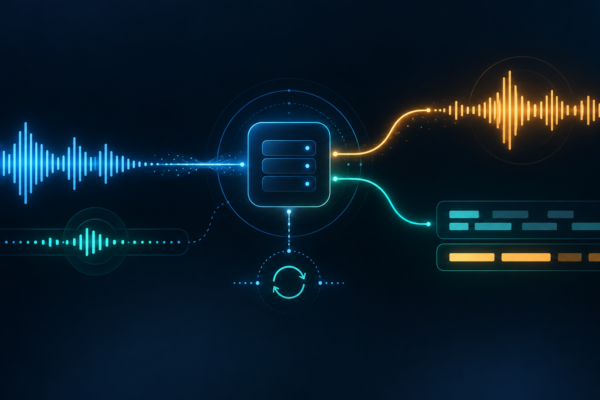
Short answer: Gemini 3.8 Live is Google’s current low-latency, audio-first model for real-time conversations. Its model ID is gemini-3.8-live. It accepts text, images, audio and video, returns audio (and optional transcripts), supports interleaved reasoning, Google Search grounding and function calling, and does not support the standard Flash model’s caching, code execution, file search, structured outputs or URL context. The separate gemini-3.8-live-extended-thinking model is for harder multi-step work and requires a different event-handling pattern.
That distinction matters. Gemini 3.8 Flash API migration guide covers the standard text-and-multimodal API, where gemini-3.8-flash is a different model with different capabilities and pricing. It is not the Live API model. This page is an overview for someone deciding whether to evaluate a real-time voice agent, not a replacement for a full voice/transcription architecture guide.
What Google released on September 15, 2026
Google announced two Live models on September 15, 2026: Gemini 3.8 Live for fast, fluid dialogue and Gemini 3.8 Live Extended Thinking for higher-complexity reasoning while the conversation continues. The launch announcement says both are available to developers through the Gemini API and Google AI Studio. It also describes enterprise availability as private preview and names Search, the Gemini app and Workspace distribution for some experiences. Those channel statements are Google’s rollout claims; access still depends on the product, project, account and region you use.
The current model catalogue labels both model IDs as Stable:
| Model | Model ID | Google’s stated fit | Thinking configuration |
|---|---|---|---|
| Gemini 3.8 Live | gemini-3.8-live | Default for most low-latency voice-agent and real-time dialogue experiences | Interleaved reasoning; omit thinking_level and thinking_config |
| Gemini 3.8 Live Extended Thinking | gemini-3.8-live-extended-thinking | Complex, multi-step problem solving with background reasoning | low, medium or high; asynchronous tools only |
| Gemini 3.1 Flash Live | gemini-3.1-flash-live-preview | Legacy Live preview model | Older configuration; Google recommends migrating |
There is an important status nuance: the model pages call the 3.8 model IDs Stable, while the Live API overview and capabilities guide still label the Live API itself Preview. Treat the model string as current, but re-check API status, limits and compatibility before committing a production interface.
Live is a separate surface from Gemini 3.8 Flash
The easiest migration mistake is changing a model string without changing the mental model. Standard Gemini 3.8 Flash uses gemini-3.8-flash and is aimed at ordinary request-response workloads. Its current documentation lists a 1M-token context, caching, code execution, file search, structured outputs and URL context. The Live model page lists a different set of boundaries: native audio and Live API support, but no caching, code execution, file search, Maps grounding, image generation, structured outputs or URL context.
Use the standard Flash article for token-oriented migration and caching arithmetic. Use Live when the reader’s problem is continuous, bidirectional conversation. A Live session is a persistent WebSocket connection, not a sequence of unrelated text calls.
What Gemini 3.8 Live can and cannot do
| Area | Current documented boundary | What it means in a first evaluation |
|---|---|---|
| Inputs | Text, images, audio and video | Start with text or synthetic audio; add video only when the visual question needs it. |
| Outputs | Audio and text are listed at the model level; native audio sessions use AUDIO response modality | Plan an audio sink. Enable input/output audio transcription when a text log or caption is required. |
| Audio format | Raw 16-bit little-endian PCM; input is natively 16 kHz and output is 24 kHz | Resample microphone input and do not send compressed WebM/MP3 bytes as if they were PCM. |
| Function calling | Supported; non-blocking execution is the default for 3.8 Live, while Extended Thinking requires it | Define narrow tools and validate arguments in your application. The model does not execute your function. |
| Search grounding | Supported | Useful for current facts, but it has its own request pricing and data-handling implications. |
| Not supported on the 3.8 Live model page | Caching, code execution, file search, Google Maps grounding, image generation, structured outputs, URL context and Batch API | Do not copy a standard Flash configuration and assume those tools will work in a Live session. |
Google’s Live capability guide says video frames are individual images at a maximum of one frame per second. The 3.8 migration notes also say turn coverage defaults to audio activity and all video, so sending every available frame can consume context and money without improving the answer. Send only the frames needed for the user’s question.
Choose the right 3.8 Live model
Start with gemini-3.8-live when interruption-friendly latency and direct spoken replies matter more than configurable deep reasoning. Its interleaved reasoning is supported, but Google explicitly says not to send a thinking-level setting. The standard model can use blocking functions for compatibility or non-blocking functions when the task should continue while a tool runs.
Choose gemini-3.8-live-extended-thinking when the agent must coordinate multi-step work, wait on slower tools, or reason over a complex request. It supports low, medium and high thinking levels. It requires non-blocking function declarations, and its client must track interaction_status: IN_PROGRESS means reasoning or tool work may continue even after a turn-complete event; IDLE means the whole interaction is done.
Do not use a vendor benchmark as a universal winner. Google’s launch page reports scores from Artificial Analysis, τ-Voice, Sierra and EVA-Bench, and says the EVA-Bench run used the Live API on Gemini Enterprise Agent Platform. Those are useful references for what Google chose to report, not independent testing by this site.
Access, regions and rate limits
For a server connection, the Google GenAI SDK can use a Gemini API key. For a browser or mobile client that connects directly to Live, Google recommends ephemeral tokens so a long-lived API key is not shipped to the client. The token guide says an ephemeral token is short-lived, can be constrained to a model/configuration, normally has a one-minute window to start a session and a 30-minute connection expiry unless the session is resumed within the permitted window. The token itself is not a substitute for authenticating your own backend.
Google’s current available-regions page lists India among the countries where the Gemini API and Google AI Studio are available. That is service-level availability, not a promise that every Live model, tier or feature is enabled for every project. Check the exact project and account at evaluation time.
Do not invent a universal requests-per-minute quota for Live. Google says rate limits are project-level and depend on usage tier, model and account status. They are measured across dimensions such as requests per minute, input tokens per minute and requests per day, and the active values are visible in Google AI Studio. The rate-limit page also lists spend-based rolling ten-minute caps of $10 for Tier 1, $50 for Tier 2 and $200 for Tier 3; those are spend protection limits, not a Live-specific throughput guarantee. Actual capacity may vary.
Pricing is token-based, not a flat minute subscription
Google’s current standard pricing table groups Gemini 3.8 Live, Gemini 3.8 Live Extended Thinking and Gemini 3.1 Flash Live Preview together:
| Usage | Paid standard rate | Important qualifier |
|---|---|---|
| Text input | $0.75 per 1 million tokens | Standard paid rate shown on the pricing page. |
| Audio input | $3.00 per 1 million tokens or about $0.005 per minute | Billing is based on audio-token consumption. |
| Image/video input | $1.00 per 1 million tokens or about $0.002 per minute | Actual usage depends on media sent and resolution. |
| Text output | $4.50 per 1 million tokens | Transcription text can add output-token charges. |
| Audio output | $12.00 per 1 million tokens or about $0.018 per minute | Audio output and any enabled transcript are separate concerns. |
| Google Search grounding | 5,000 free search requests per month shared across Gemini 3.x, then $14 per 1,000 requests | A customer request can produce more than one search query. |
The pricing page also shows a free tier with free-of-charge input and output for this model group, but access is limited and the free/unpaid service has different data-use terms. Confirm the project’s plan rather than assuming “free” means unlimited or private.
Live billing is easy to underestimate because the WebSocket keeps context. Google says each turn is billed against the active context window, including accumulated audio tokens. Transcriptions add text-token charges. Long conversations can therefore cost more per turn even when the latest utterance is short. Context-window compression can evict older tokens after a trigger and sliding-window threshold, reducing the amount carried into later turns.
Session lifetime, context and interruption handling
Without compression, Google’s Live documentation states that audio-only sessions are limited to 15 minutes and audio-plus-video sessions to 2 minutes. The session-management guide also says an individual WebSocket connection lasts around 10 minutes and sends a GoAway message before it ends. Context-window compression can extend the session, while session resumption lets a client reconnect with a resumption handle. The current guide says resumption tokens are valid for two hours after the last session terminates.
The capabilities guide lists a 128K-token context window for native audio output models and 32K for other Live models. The 3.8 model page separately lists a 131,072 input-token limit and 65,536 output-token limit. Treat these as different layers: the model’s token limits and the Live session’s practical context/lifetime controls still need to be designed together.
Automatic voice-activity detection is enabled by default. When the user interrupts, the server reports an interrupted turn and cancels pending function calls. Your client should stop playback and clear queued audio immediately. Send small audio chunks—Google’s best-practices guide recommends roughly 20–40 milliseconds—and send audioStreamEnd when an input stream pauses long enough that cached audio needs flushing. If you disable automatic VAD, your client must send explicit activity-start and activity-end events.
Tools: useful, but still application-owned
Live supports function declarations and Google Search. A function declaration tells the model what your application can do; your code still validates arguments, authorizes the action, executes it and sends a FunctionResponse back. The Live API does not automatically execute your tools.
With gemini-3.8-live, non-blocking functions let the conversation continue while a tool runs. The response can use scheduling such as interrupting immediately, waiting until the model is idle or silently incorporating the result later. Extended Thinking is stricter: use non-blocking declarations and keep listening after an apparent turn completion until the interaction returns to IDLE.
This is the practical safety boundary: a voice agent may sound confident while a tool is still pending. Keep mutating actions behind explicit confirmation, narrow schemas, idempotency checks and an audit log. Read-only tools are the right first test.
A small, source-checked first connection
The following is a deliberately small Python example based on Google’s GenAI SDK examples. It sends text and prints the model’s returned audio parts and optional output transcript. It is not a full microphone, playback or tool-execution application, and it was not executed for this article because no authorized Gemini credential is available.
Prerequisites: Python, the current google-genai package, a Google AI Studio or Gemini API project, and a GEMINI_API_KEY environment variable. Keep the key on the server. If a browser must connect directly, use an ephemeral token instead.
import asyncio
import os

from google import genai

async def main():
    client = genai.Client(api_key=os.environ["GEMINI_API_KEY"])
    config = {
        "response_modalities": ["AUDIO"],
        "output_audio_transcription": {},
    }

    async with client.aio.live.connect(
        model="gemini-3.8-live", config=config
    ) as session:
        await session.send_client_content(
            turns={
                "role": "user",
                "parts": [{"text": "Say hello, then explain what you can do."}],
            },
            turn_complete=True,
        )

        async for message in session.receive():
            server_content = message.server_content
            if server_content and server_content.model_turn:
                for part in server_content.model_turn.parts:
                    if part.inline_data:
                        audio_chunk = part.inline_data.data
                        # Send audio_chunk to your application-owned 24 kHz PCM sink.
            if server_content and server_content.output_transcription:
                print(server_content.output_transcription.text)
            if server_content and server_content.turn_complete:
                break

if __name__ == "__main__":
    asyncio.run(main())
Expected flow: the SDK opens a stateful session, the client sends a user turn, the server streams one or more response events, and each event may contain multiple content parts. A production client must process every part. Important failures include a missing or expired key, a model/configuration mismatch, malformed PCM, a 429 rate-limit response, a WebSocket close/GoAway event, an interrupted turn, or a tool call that has not yet received a valid response.
Run a safe first evaluation
- Start with synthetic input. Use a short, non-sensitive prompt in an isolated project. Do not place customer recordings, credentials or confidential business data in an unpaid/free service.
- Confirm the model string. Test
gemini-3.8-livefirst. Do not copygemini-3.8-flashcaching or structured-output settings into the Live setup. - Measure the event path. Record connection success, first audio event, transcript arrival, turn completion, interruption handling and clean close. These are evaluation observations, not claims about Google’s latency.
- Test speech boundaries. Use synthetic 16 kHz PCM, a deliberately interrupted utterance, a pause requiring
audioStreamEnd, and a short video-frame test only if vision is essential. - Test tools in dry-run mode. Define one read-only function with strict parameters. Return a known error once and confirm the UI does not present an unfinished tool result as completed work.
- Test lifecycle and cost controls. Keep the first sessions short, enable compression before long sessions, capture usage metadata, and exercise a resumption path before relying on a single WebSocket connection.
A useful acceptance record should answer: Did the intended model connect? Did audio arrive in the expected format? Did interruption stop playback? Did the transcript differ from the audio enough to matter? What did the project actually bill? Did any data leave the intended boundary? None of those questions can be answered by a vendor benchmark alone.
Privacy, consent and safety boundaries
Google’s audio model card lists hallucinations, occasional slowness and timeout issues, and a January 2025 knowledge cutoff. Live Search grounding can supply current information, but it does not make every spoken answer correct. The launch announcement says generated audio is watermarked with SynthID. That helps provenance; it does not replace consent, disclosure or review.
For the Gemini API, Google’s terms distinguish unpaid and paid services. Unpaid AI Studio and unpaid API quota may be used to improve Google products, and human reviewers may process inputs and outputs. Paid-service prompts and responses are not used to improve products under the stated terms, but using Grounding with Google Search stores prompts, context and output for 30 days. The zero-data-retention guide says a Live session handle can retain text, audio and video state for up to 24 hours; avoid session resumption when that retention is not acceptable, and use Vertex AI when a guaranteed enterprise data-processing boundary is required.
Separately from Google’s product terms, obtain permission before recording or transcribing people, tell participants when an AI system is listening, minimize stored audio, restrict access to transcripts and provide a human escalation path for high-impact decisions. These are responsible deployment practices, not a claim that the API supplies legal compliance automatically.
How this fits DMT’s existing Gemini coverage
This article owns the Live model surface: model choice, supported boundaries, cost mechanics, sessions and a safe first connection. It does not replace the Gemini 3.7 Flash workflow guide, the standard Flash migration article, or the Gemini audio workflow guide for Gmail, Docs and Keep. For cross-vendor voice safety context, see the GPT-Live-1 API guide and the Codex Voice Mode safety guide. Those pages answer different product or workflow questions; shared words such as “live,” “voice” and “audio” do not make them duplicates.
Frequently asked questions
Is Gemini 3.8 Live the same as Gemini 3.8 Flash?
No. gemini-3.8-live is the low-latency audio-first model for the Live API. gemini-3.8-flash is the standard model for request-response work. Their tool support, caching, response modality and cost model differ.
Can Gemini 3.8 Live return text instead of audio?
Native audio sessions use AUDIO as the response modality. Enable output audio transcription when your application needs a text transcript. Do not assume a standard text response configuration will work unchanged.
How long can a Live session run?
Without compression, Google’s guide states 15 minutes for audio-only and 2 minutes for audio-plus-video, with individual WebSocket connections lasting around 10 minutes. Context compression and session resumption are the documented ways to build longer-lived experiences.
Is the Live API free?
Google’s pricing page currently shows free-tier input and output for this model group, but access is limited and unpaid data-use terms differ. Paid standard rates are token-based, and long sessions can re-bill accumulated context on each turn. Check the project’s current plan and active limits.
Bottom line
Gemini 3.8 Live is a real, distinct model surface for developers who need spoken, interruptible, multimodal interaction. The sensible first move is a short, synthetic, server-side evaluation of gemini-3.8-live with no mutating tools. Verify PCM handling, event sequencing, interruption cleanup, session recovery, transcript quality and actual billing before adding customer data or a browser client. Treat the Stable model label and Preview Live API label together, keep gemini-3.8-flash migration work separate, and attribute Google’s benchmark and rollout claims rather than turning them into independent performance promises.
Sources and scope
- Google’s Gemini 3.8 Live and Extended Thinking launch announcement, September 15, 2026.
- Gemini 3.8 Live model page and Extended Thinking model page.
- Live API capabilities guide, session management, tool use and best practices.
- Gemini API pricing, rate limits, available regions and ephemeral tokens.
- Gemini 3.8 Audio model card, zero-data-retention guidance and Gemini API terms.