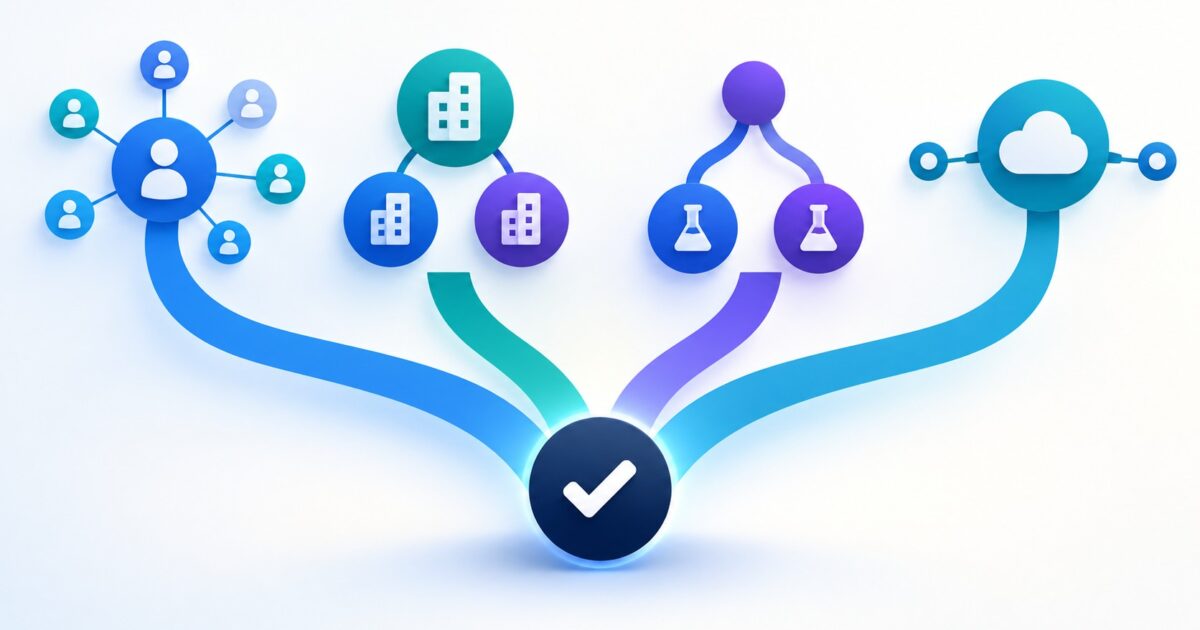
Microsoft Advertising’s September update expands the company list limit, adds campaign experiments and a HubSpot connection, and changes the timeline for REST features and SOAP support. Start with the work your account actually needs: schedule a migration if code still calls SOAP, check the market and campaign before building a company list, verify HubSpot access and tracking before promising CRM reporting, and use experiments only when the control campaign is eligible.
The API date correction matters most to developers. Microsoft had planned to make new features available through REST only from October 1, 2026. It now says SOAP will continue to receive features and enhancements until its full retirement on January 31, 2027. That moves the feature cutoff; it does not move the retirement date. The other three changes are setup options, not instructions to switch every account at once. Microsoft’s September 30 announcement covers all four. For the earlier release, see the August Microsoft Advertising changes; for Microsoft AI Max controls, use the separate Search guide.
Choose a setup task by its trigger
| Change | Start here when | Check before setup | First useful action |
|---|---|---|---|
| HubSpot connection Connection guide · Tracking guide |
Your team wants Microsoft campaign reporting inside HubSpot. | The HubSpot beta state, individual ad account, HubSpot Ads publish access, Microsoft account role and tracking support for each campaign type. | Verify access and account scope, then check the tracking suffix, click ID and a campaign record. |
| Company lists Release note · Search setup |
You have named B2B accounts and want to use LinkedIn profile company signals in Microsoft Advertising. | Supported market, list control in the account, and whether the exact Search or Audience campaign exposes the list. | Create a list in Microsoft Advertising and verify how the selected campaign applies it. |
| Optimization experiments Setup and eligibility |
You have one campaign change worth comparing against its current setup. | Search, Shopping, Audience or Performance Max eligibility; no shared or lifetime budget; no Dynamic Search Ads. | Choose one change, preserve the control settings and plan enough time for ramp-up and measurement. |
| SOAP to REST Current migration guide |
A script, SDK or integration still calls the Microsoft Advertising SOAP API. | Which methods use SOAP, the language SDK, authentication, and each request and response format. | Assign an engineering owner and plan migration before SOAP retirement on January 31, 2027. |
The September release says company lists work with Search and Audience campaigns, and optimization experiments are generally available for Search, Shopping, Audience and Performance Max. The list setup steps currently documented in Microsoft Help are for Search, while its LinkedIn profile targeting guide describes older manual selection. For either feature, read the options shown in your actual campaign before turning documentation into a universal procedure. Microsoft’s announcement · Search campaign and company-list help · LinkedIn profile targeting help
HubSpot: verify the connection and the reporting boundary
Microsoft describes the HubSpot integration as live and says it can connect ad activity with CRM data. HubSpot’s September 7 tracking guide still tells Super Admins to opt into the Microsoft Advertising integration beta. Treat the announcement as product availability, not proof that the feature is enabled in your portal. Microsoft’s announcement · HubSpot’s tracking guide
HubSpot’s connection guide lists the basic connection for all products and plans. It accepts individual Microsoft Advertising accounts, not the customer account that manages them, so connect each ad account separately. The connecting HubSpot user needs Publish access to the Ads tool and Super Admin access to the individual Microsoft Advertising account. An organization-managed Microsoft account may also need a Microsoft Entra administrator to approve access. In HubSpot, go to Settings, Marketing, Ads, Ad accounts, Connect account, select Microsoft Advertising, sign in to Microsoft and allow access, select the individual ad account or accounts, then select Connect. HubSpot’s connection requirements and steps
Check the campaign type before interpreting the reports. HubSpot’s guide lists tracking and reporting for Search, Shopping, Hotel, App and Performance Max, but Audience campaigns are reporting-only there. Performance Max reporting is available at campaign and asset group level, not for individual assets. HubSpot adds parameters through a Final URL Suffix set in the account and uses Microsoft click ID auto-tagging; a URL shortener or a tracking template from another provider must preserve the query parameters. HubSpot’s campaign support and tracking requirements
Connection and campaign reporting do not by themselves prove that every HubSpot attribution report is available. HubSpot says Free CRM and Marketing Hub Starter include only the Last ad interaction report; other attribution reports require Marketing Hub Professional or Enterprise. For contact attribution, an ad click must lead to a tracked web session and a form submission that creates the contact. The landing page needs HubSpot’s tracking code and auto tracking, and the click parameters must be preserved. If you submit a form through the Forms API, pass the page URL (pageUri) and HubSpot tracking cookie (hutk) in its context. Turning on auto tracking applies to future clicks, not past ones. Deal attribution also requires a Closed Won deal associated with an attributed contact, a populated Close date on or after the report start date, and the default Customer lifecycle stage. HubSpot’s attribution requirements and plan tiers · Microsoft Ads tracking requirements · HubSpot Forms API submission reference
HubSpot’s current audience guide describes contact segment audiences for Marketing Hub Starter, Professional and Enterprise, but its documented workflow does not name Microsoft Advertising. The Microsoft-specific contact-audience path is therefore unconfirmed by these docs; check the option in your portal before planning around it. HubSpot’s Ads automation guide, last updated January 15, 2026, documents Facebook, Google and LinkedIn workflows, not Microsoft, so confirm any Microsoft-specific automation action in the portal as well. HubSpot’s current audience guide · HubSpot’s Ads automation guide
Company lists: check the list workflow and market first
Microsoft increased the limit from 1,000 to 10,000 company names per list. The September announcement says advertisers can paste names during campaign setup or in the audience library, then use lists with LinkedIn profile targeting in Search and Audience campaigns. It describes availability as global in supported markets, says company names appear mostly in English, and excludes users in the EEA, United Kingdom and Switzerland from the underlying consumer data. A list containing 10,000 names is not a promise that 10,000 companies or their employees will match or see an ad. Microsoft’s September company-list announcement
For the documented Search workflow, go to Tools, Audiences, Company lists, then Create. Enter one company name per line. After saving the list, associate it with the Search campaign or ad group under Company lists and review the bid adjustment. Microsoft’s help page currently explains this Search path; the September announcement also names Audience campaigns, so confirm the Audience option appears before building that version of the workflow. Microsoft’s Search campaign help
Keep this new company-list feature separate from older instructions for adding individual companies to LinkedIn profile targeting, and from LinkedIn Campaign Manager matched-audience uploads. Microsoft’s profile-targeting help still describes manual selection and says external-file imports are unsupported. Use the Microsoft Advertising Company lists control and paste format shown in the current account. Do not treat the list as a hard company-only filter unless the campaign’s live targeting settings explicitly offer that behavior. Microsoft’s LinkedIn profile targeting help
Optimization experiments: qualify the control before creating a test
Microsoft now lists Optimization experiments as generally available for Search, Shopping, Audience and Performance Max. The current setup guide excludes campaigns with shared or lifetime budgets and campaigns with Dynamic Search Ads enabled. It creates a treatment campaign by copying the control campaign, then splits eligible budget and traffic between them. Check the creation status and any reported copy errors before measuring results. Microsoft’s experiment setup guide · Microsoft’s Experiment API documentation
In the interface, choose Campaigns, Experiments, Create, then Optimization. The current guide recommends a 50/50 split and four to eight weeks total: usually two to four weeks for the treatment campaign to stabilize, followed by two to four weeks of measurement. For Search campaigns only, choose Cookie-based or Search-based traffic allocation. Microsoft recommends Cookie-based for most tests; reserve Search-based for query-level or auction-level outcomes. These are planning recommendations, not guaranteed results or a universal minimum. Keep the control stable while the test runs, allow for delayed conversions, and judge the outcome against the business event you actually need. Avoid overlapping experiments when campaigns target the same audience, because that makes the comparison harder to interpret. Create and manage an Optimization experiment · Optimization experiment best practices
When reading results, use the date range to exclude the treatment campaign’s two to four week stabilization period. Review lift and the confidence interval alongside your primary success metric and its efficiency measure, such as conversions with CPA or conversion value with ROAS. Microsoft recommends 95% confidence. An inconclusive result does not prove that the control and treatment performed the same. To change the experiment’s total budget, change the control campaign’s budget; the existing split allocates it. The split cannot be changed after the test starts. Other control-setting changes do not carry to treatment. Applying the treatment to a new campaign pauses the control. Microsoft’s experiment results and controls · Microsoft’s confidence and decision guidance
Before choosing a test, check what the copy carries over. Microsoft’s API documentation says some older destination-URL keywords and standard text ads are not copied into an experiment campaign, and the interface can show a list of items that were missed. Inspect that list before launch; a treatment missing part of the control is not a clean test of the change you intended. Microsoft’s experiment copy and eligibility details
SOAP to REST: use the corrected date and plan by implementation
Microsoft’s current migration page was updated September 30. It says SOAP integrations, including access to API features and enhancements, continue through January 31, 2027, when SOAP is scheduled for full deprecation. The earlier October 1 plan to offer new features only through REST no longer applies. The update does not extend the January 31 retirement date. Microsoft’s current SOAP and REST migration guide
Inventory the implementation before selecting a migration route. The SDK changes differ by language:
- .NET: SDK 13.0.22 changes service calls from SOAP to REST and from
System.ServiceModeltoHttpClient. Review custom client setup and HTTP dependencies. .NET SDK migration guide - Java: SDK 13.0.22 changes from JAX-WS to JAX-RS and includes Apache CXF JAX-RS Client by default. Review the HTTP client dependency and any custom client setup. Java SDK migration guide
- Python: the REST package is
msads. Some authentication and service-client imports remain underbingads, while model imports move toopenapi_client.models; check imports individually. Python SDK migration guide - PHP: use Composer package
microsoft/msadsand theMicrosoft\MsAds\Restnamespace. PHP SDK migration guide - Direct SOAP callers: map each method to its REST endpoint, HTTP method and JSON request and response format; changing only the base URL is insufficient. REST migration overview
A worked decision for a B2B team
Illustrative inputs: a team runs a Search campaign, keeps a named-company prospect list, uses HubSpot, and has no custom code that calls the SOAP API. It also wants to test a bidding change. These inputs are hypothetical and describe no measured campaign result.
- Start with company-list eligibility. Check that the market is supported and that Company lists appears in Microsoft Advertising. Create and associate the list through the documented Search workflow. If the same option is not present for an Audience campaign, hold that setup until the live interface confirms its path.
- Check HubSpot without assuming CRM audiences are ready. Confirm the beta option, connect only the individual ad account, and verify the HubSpot and Microsoft roles. Read back the URL suffix, click ID, attribution plan tier and campaign-type reporting before describing the CRM view as complete.
- Stabilize the list and tracking before the test. Complete the company-list and HubSpot tracking changes first, then allow them to settle and freeze the campaign setup. If the campaign qualifies, test only the bidding change; keep the list and tracking settings fixed so the experiment compares one change. Record the conversion definition and allow the recommended ramp and measurement window.
- Skip API migration for this setup. With no SOAP-based integration, the REST deadline does not create an account task. If a later code audit finds a SOAP dependency, assign that work before January 31, 2027.
The order changes with the inputs. An in-house SOAP integration makes migration planning the engineering priority. A team without named B2B accounts has no reason to build a company list. HubSpot is useful only when the connection, tracking and required account roles are present. After list and tracking changes settle, use an experiment for one specific, eligible comparison rather than a general account cleanup.
Disclosure: this article was drafted with AI assistance and checked against the linked public documentation. No live advertiser account, campaign or integration was accessed.