
Update for 4 September 2026: OpenAI’s current Ads Manager Availability table marks India Available for self-service. That confirms country-level availability, not that every advertiser account is approved or a campaign will deliver. OpenAI’s 31 August announcement said self-service purchasing was launching across India, Europe, the Middle East and North Africa; verify the actual account, campaign eligibility, billing and policy state before committing budget.
What changed on 31 August: announcement versus access
OpenAI’s 31 August announcement introduced self-service purchasing across India, Europe, the Middle East and North Africa. The current Ads Manager Availability page now lists India as Available, while access remains account-level and can evolve; a country listing does not prove approval, campaign eligibility, inventory or delivery. Treat the availability table as country-level status and inspect the actual Ads Manager account for readiness.
| Question | Evidence checked | Safe operating decision |
|---|---|---|
| What did OpenAI announce? | Self-service purchasing starts later today across India, Europe, the Middle East and North Africa. | Prepare onboarding, creative, measurement and approval steps. |
| Does that prove an account can launch? | No. The current availability table now lists India and the 31 European markets as Available; this remains a country-level state rather than an individual account approval. | Check the country table and actual Ads Manager state before committing budget or a date. |
| What is already useful? | The Ads Manager documentation covers campaign, audience, feed, Pixel, Conversions API and reporting preparation. | Use the guide as a launch-readiness checklist, not as a live-account result. |
This guide explains the setup a marketer should prepare now: account onboarding and verification, post-pay billing, CPM/CPC/oCPC choices, country and platform targeting, custom audiences, ad groups and context hints, creative review, Pixel and Conversions API measurement, oppref and event_id deduplication, consent, product feeds, launch checks, reporting and troubleshooting. It is a preparation and decision guide, not evidence that DMT has an Ads Manager account or a live Indian campaign.
For readers building the surrounding channel plan, DMT’s ChatGPT for digital marketing guide explains where conversational discovery fits alongside owned and paid media. This page stays narrower: it is the India access, setup and measurement owner for ChatGPT Ads.
India status at a glance
| Question | What is known | How to use it |
|---|---|---|
| Did ads reach India? | TechCrunch reported on 27 August that OpenAI would start showing ads to logged-in adults on the Free and Go tiers in India, with WPP and Omnicom among the initial agency partners. | Call this a reported user-side and partner-led rollout, not proof of advertiser self-service access. |
| Can an Indian business self-serve today? | OpenAI’s current Ads Manager Availability table marks India Available. Country-level availability is separate from account approval and campaign eligibility. | Check the table and the account status before planning a launch. Creating an account does not bypass country availability. |
| Is 4 September official? | OpenAI’s 31 August announcement says self-service access starts later today across India, Europe, the Middle East and North Africa. The current availability table now lists India and the 31 European markets as Available; account activation, review, eligibility and billing remain live verification steps. | Keep it as a reported target. Do not promise access, spend or launch timing to a client from that report alone. |
| What is the Indian minimum? | OpenAI’s Create Campaigns for ChatGPT Ads table lists a daily minimum of 725 INR. | Use ₹725 as the documented daily minimum shown in the current table, not as a CPC, CPM, CPA, tax-inclusive quote or guarantee of delivery. |
| What remains unknown? | OpenAI has not published an India self-service activation time, account-review outcome, partner eligibility rule, India tax/invoice treatment, location granularity, bid guidance or performance benchmark for a particular account. | Keep those items in the launch risk register and verify them in the actual account or a current OpenAI notice. |
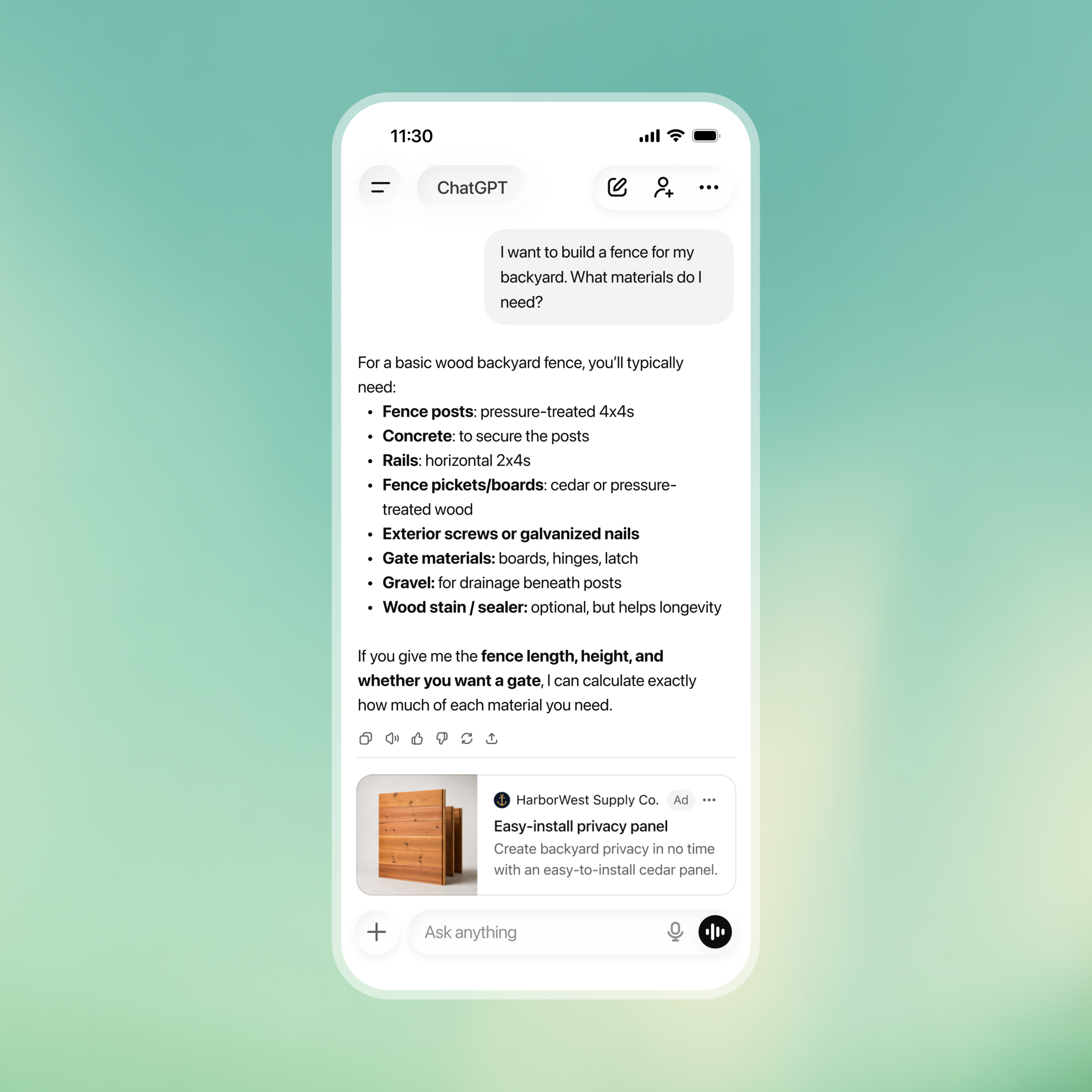
The distinction matters because user inventory and advertiser tooling are different rollouts. A person in India may see a sponsored placement while a business based in India still cannot complete self-service onboarding. The official availability page is the source of truth for the advertiser access state; third-party launch coverage is useful context for the reported 27 August user-side announcement, not a replacement for that table.
What the official setup flow requires
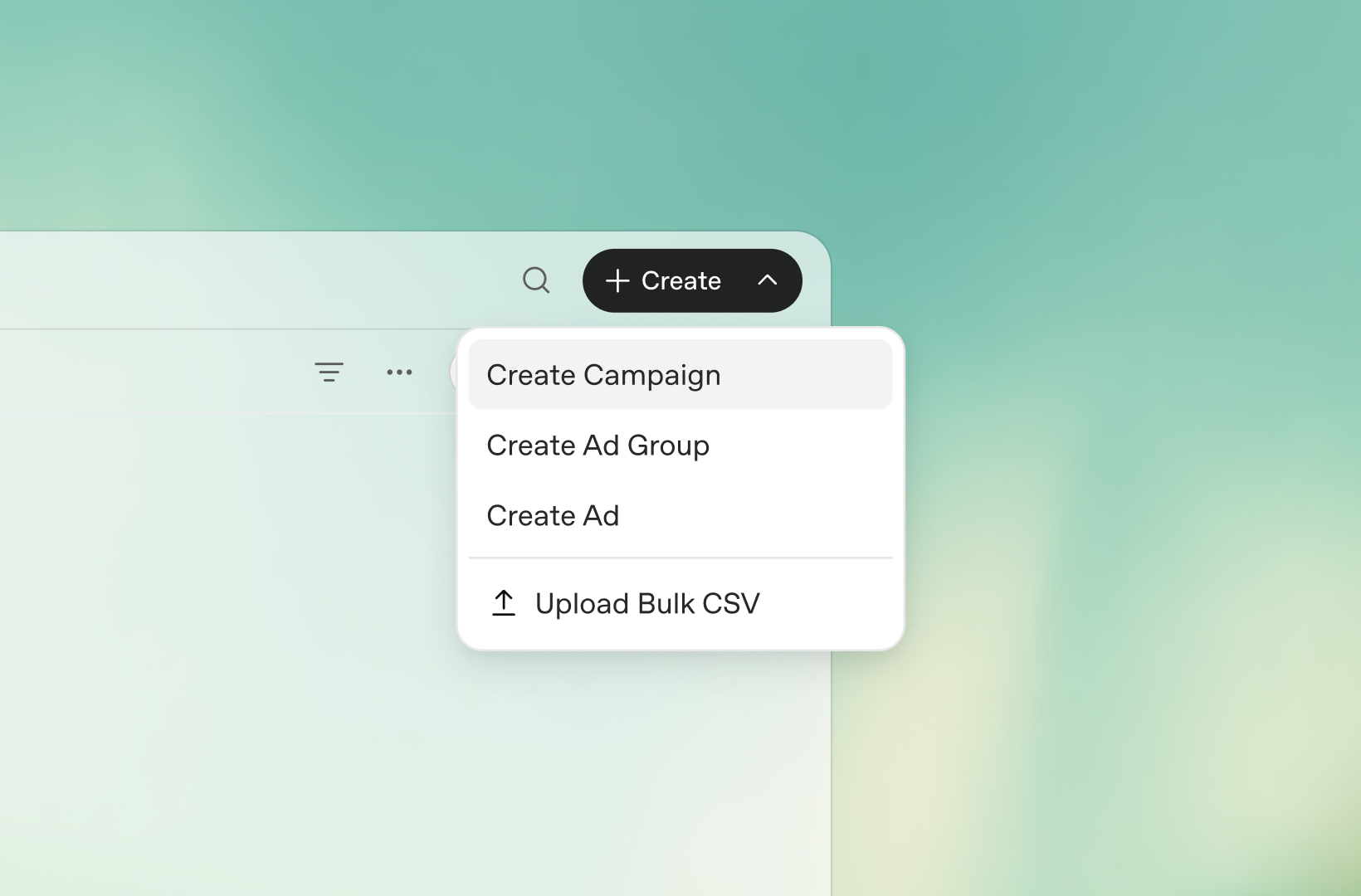
OpenAI’s Ads Manager Beta Account Setup guide describes five steps. They are the checklist to prepare if India becomes available or OpenAI/one of its partners gives an advertiser a supported route:
- Create the Ads Manager account. Sign in at ads.openai.com with an OpenAI account tied to the business. One account owner should create the advertiser account; that owner can invite teammates later.
- Complete onboarding and verification. Enter the business name, website, logo and industry, then select the advertiser country, currency and time zone. OpenAI says additional account-verification questions are handled through Persona and that the application can remain in review while eligibility under its Ads Policies is assessed.
- Complete account information after access is granted. In Settings → Account info, set the Account name and Logo exactly as they should appear in an ad. OpenAI says ads will not serve until this step is complete.
- Set up billing and payment. Create a billing profile with the business name, address and invoice-delivery email, then add a credit card and matching billing address.
- Invite the operating team. Use Settings → Users → Invite after the account owner has completed setup. A ChatGPT workspace invitation is not the same as a role on the advertising account.
Review the country or region, currency, time zone, legal business name, website and billing details before submitting. OpenAI says country, currency and time zone cannot be changed later through the normal account flow; if they are wrong, a new advertiser account may be needed where available. Do not create duplicate applications to try to jump the review queue. Verification and account review are separate, and completing an identity flow does not necessarily mean campaigns can run immediately.
Billing: the ₹725 minimum is not your whole budget model
OpenAI’s current Billing & Payment documentation describes a post-pay model: spend accrues after delivery and the saved payment method is charged when the account reaches its assigned payment threshold. That threshold is not a campaign budget or an account spend cap. A failed payment may make campaigns, ad groups and ads show Not serving until the billing issue is resolved.
The card check can create a temporary USD 100 authorisation, which OpenAI says is not a completed charge and is normally released after verification, although a bank may show it for up to seven days. Indian finance owners should confirm the actual card, legal entity, invoice and tax treatment in the account and with their adviser; the public documentation does not establish an India-specific GST or invoicing treatment.
| Budget choice | OpenAI’s current description | Operational implication |
|---|---|---|
| Daily budget | An average amount the campaign aims to spend per day over a seven-day period. Daily spend can vary; OpenAI says it will not exceed twice the selected daily budget on an individual day or seven times over the applicable seven-day period, subject to proration when a budget changes. | Use this for a controlled learning period. It is a delivery target, not a same-day hard stop. |
| Campaign-total budget | The total amount you are willing to spend over the campaign duration. | Use it when the total cap matters more than flexible pacing. Choose deliberately because budget-type changes are not fully reversible. |
| India table entry | 725 INR daily minimum in OpenAI’s current Minimum Campaign Spend table. | Do not turn this into an expected reach, CPC, CPM, conversion or ROAS estimate. |
OpenAI says the budget amount can be adjusted, but the budget type cannot always be changed back. Its campaign guide recommends starting with a daily budget for a new platform so that delivery and performance can be observed before committing to a campaign-total budget. Treat the 4 September report as a possible planning date, not a reason to pre-commit spend before the official access state and billing screen are verified.
Choose CPM, CPC or oCPC for the job you can measure
OpenAI’s current campaign guide documents three objectives. The choice fixes both the buying basis and the delivery optimisation; it is not a label to change after launch.
| Objective | OpenAI definition | Billing | Use when |
|---|---|---|---|
| CPM | Cost per 1,000 impressions; broad delivery for scale, reach and awareness. | Per 1,000 impressions served. | You need visibility and can judge exposure without pretending it is a conversion result. |
| CPC | Cost per click; delivery is optimised toward clicks from users likely to engage. | Per valid click. | You need traffic to a relevant product, collection or content destination. |
| oCPC | Conversion-optimised cost per click; delivery is optimised toward a selected downstream conversion event. | Per valid click, not per conversion. | You have a reliable event signal, enough volume to learn and a decision tied to that event. |
For oCPC, OpenAI’s Conversion-optimized Campaigns guide says to create a new campaign with the Conversions objective, choose one supported standard conversion event and set a bid cap at ad-group level. Custom conversion events are not currently supported for oCPC. The selected event and objective cannot be changed after creation, and an existing CPM or CPC campaign cannot be converted to oCPC. Billing remains click-based; the bid cap is not a guaranteed cost per acquisition, and OpenAI currently gives no recommended bid amount.
Do not choose oCPC merely because it sounds more performance-oriented. A weak event definition, missing click reference, consent-restricted signal or duplicate browser/server event can give the optimiser poor feedback. Validate the measurement chain before comparing oCPC with CPC, and keep the first test small enough that a reporting defect cannot become an expensive learning loop.
Country, platform and audience controls
Country targeting is configured at campaign level. OpenAI says the location picker is the way to confirm currently supported locations and provides a downloadable location catalogue. The public guide documents state, DMA and ZIP targeting in the United States and says location options vary by country. It does not establish Indian city, state, DMA or postal-code coverage; check the actual picker rather than importing Google Ads assumptions.
Platform targeting is optional. The supported choices documented today are iOS App, Android App and Web; Web includes desktop and mobile web. Insights currently groups device reporting into Mobile and Desktop, with mobile web counted under Mobile. More detailed platform reporting is planned, so split platforms only when the landing experience, measurement or economics are meaningfully different.
Custom audiences are list controls, not individual targeting
OpenAI’s Custom Audiences guide now documents customer or prospect lists based on email addresses, phone numbers, SHA-256 hashed email addresses, SHA-256 hashed phone numbers or Google Advertising IDs (GAID). A ready audience can be included or excluded at campaign level, or used for an ad-group bid multiplier. Inclusion audiences and bid adjustments require at least 25,000 matched users; audiences below 25,000 can be used for exclusions. OpenAI recommends at least 100,000 matched users for inclusion targeting or bid adjustments.
- Prepare a valid UTF-8 CSV or TXT file up to 500 MB (500,000,000 bytes). A CSV with headers can mix supported identifier types in one upload, including
email,phone_number,email_sha256,phone_number_sha256andgaid. TXT files use one identifier per line. - Normalise email addresses before hashing and use E.164 phone numbers with a country code. A GAID must be valid, retain its dashes and must not be hashed. Invalid, duplicate and unmatched rows do not count toward the matched audience.
- Wait for the audience to show Ready. Processing means the file is not ready; Failed means the upload needs a format, identifier or size check. OpenAI says processing usually takes about 20–30 minutes but can vary by file size. A Ready audience below 25,000 matched users carries an Exclusion only note.
- Inclusion limits eligibility to selected audiences; exclusion removes selected audiences. If both are used, the resulting audience after exclusions must still meet the 25,000 matched-user minimum for inclusion targeting. The same audience cannot be both included and excluded in one campaign.
- An ad-group bid multiplier can range from 0.1x to 10x. It changes the maximum bid for a matched viewer; it does not decide who is eligible for the campaign. If multiple selected audiences match, the highest matching multiplier applies.
- Use only first-party audience data you have the right to use for ads; OpenAI’s Ads developer documentation says not to upload broker-sourced data. Document notices, consents, permissions and legal bases, and remember that uploaded files are usually deleted after processing, no later than 24 hours. Custom audiences are not supported for campaigns targeting the EEA or Switzerland, even when Ads Manager country availability is shown separately.
Audience files contain personal data. Restrict access, document the lawful basis and retention decision, and check the current Custom Audiences developer documentation before an API or bulk-upload workflow. The minimum matched-user rules are feature constraints, not a promise of delivery or performance.
Audience files contain personal data. Restrict access, document the lawful basis and retention decision, and use only lists your privacy and legal owners have approved. OpenAI says uploaded audience files are deleted after processing, usually no later than 24 hours; that does not remove the advertiser’s own governance obligations.
Build focused ad groups and useful context hints
OpenAI’s Create Ad Groups guide describes an ad group as a focused theme with a title and context hints. Keep one product category, theme or customer need per group, then add multiple ads with different messaging angles. If a use case needs a different landing page or proposition, create a separate ad group or campaign instead of hiding unrelated intent in one bucket.
Write hints as natural descriptions of needs, situations and relevant use cases. For example, describe “budget-friendly accounting software for a small Indian business preparing GST invoices” rather than dropping a list of disconnected keywords. Context hints add information beyond the title, copy and landing page, and can cover natural variations in how people describe the same problem.
They are not exact-match keywords, audience-targeting rules or instructions to show an ad only in particular conversations. OpenAI explicitly says they do not guarantee delivery for a word, topic, audience or situation. This is why a ChatGPT Ads test should use a clear business hypothesis and outcome measurement rather than a promise of keyword-level coverage.
Create, review and make the landing page reachable
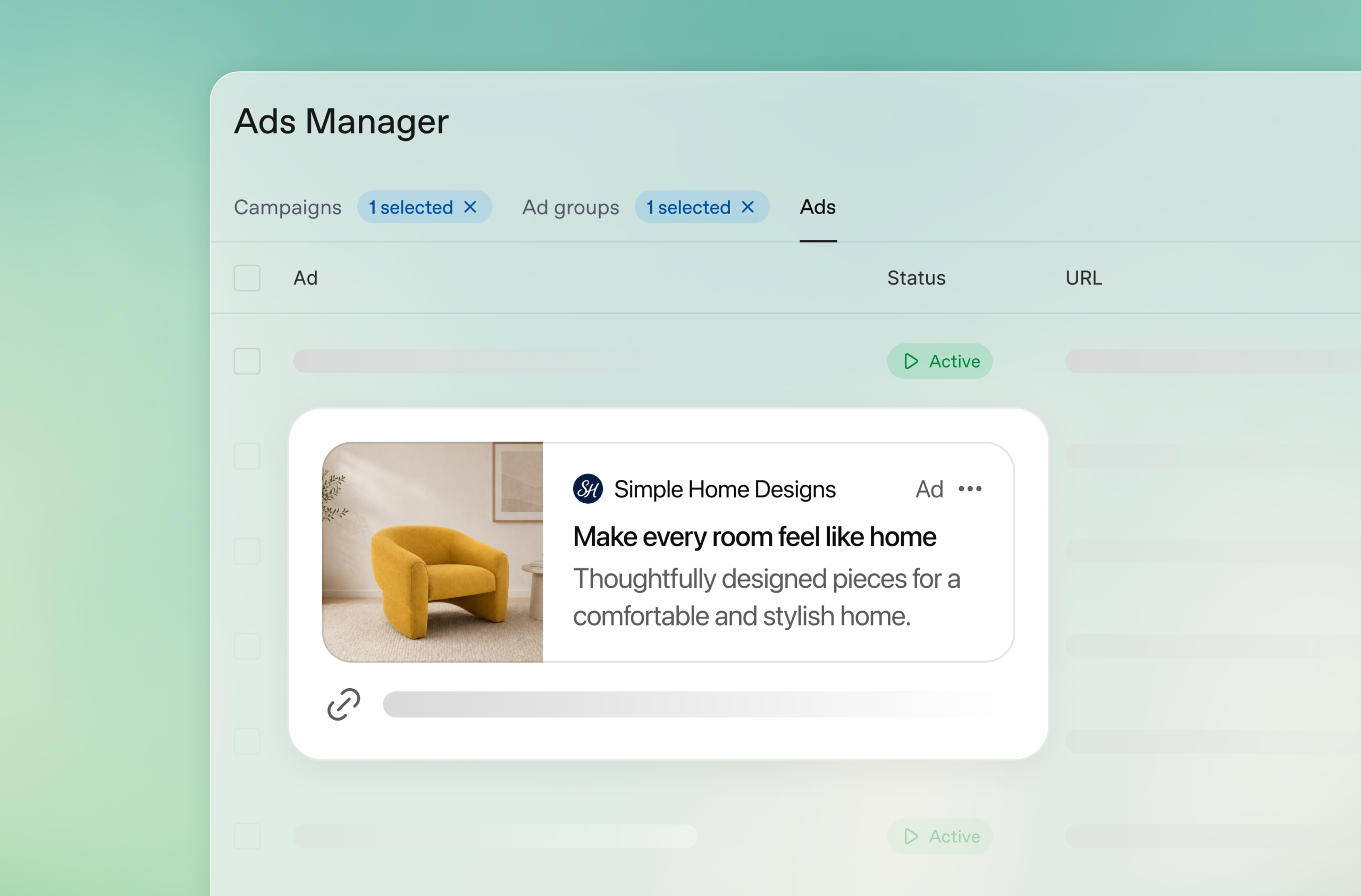
OpenAI’s Create Ads guidance says the ad should be clear, specific, benefit-focused and accurate. The documented ad unit includes the advertiser name, favicon/logo, title, copy, landing page and image. In the current launch guide, OpenAI lists a 50-character maximum for the title and 100-character maximum for copy, with 16–24 and 32–48 characters as recommended ranges; it lists a square PNG or JPG image no larger than 1,200 × 1,200 pixels and a public image URL.
- Give each variation a different value angle instead of repeating the same headline and description.
- Use the most relevant product, collection or content destination, not an unrelated home page.
- Keep tracking parameters on the destination URL. OpenAI’s reporting guide also documents campaign, ad-group, ad and ad-account macros for dynamic query parameters; document the naming convention before launch.
- Confirm the destination is valid, reachable and does not block OpenAI’s documented user agents, including OAI-AdsBot and OAI-SearchBot.
- Submit the creative, image and landing page under OpenAI’s Ads Policies. A rejected ad is a policy and review state, not a delivery optimisation problem.
Ads Manager can use existing website metadata to prefill an ad draft with an image, title and description for review. OpenAI says this feature does not generate new copy or imagery with AI. The operator still owns the accuracy, policy review, brand presentation and landing-page test.
Before submission, use DMT’s technical SEO crawl and render guide and SEO audit checklist for the destination’s reachability, redirects, indexability and conversion-path checks. Those guides support landing-page QA; they do not establish that OpenAI has approved an ad or that a campaign will serve.
Pixel, Conversions API, oppref and event_id: the measurement chain
Before an oCPC test, create a data source in Ads Manager and define the conversion event you intend to use. OpenAI’s Conversion Measurement guide says a conversion can be reported when OpenAI receives an event from a connected source, the standard or custom event matches the campaign configuration, it falls within the applicable attribution window and OpenAI can connect it to an eligible ad click.
- Browser Pixel: install the OpenAI Pixel on relevant pages and send the event when the intended action occurs.
- Conversions API: send server-side events where browser measurement is incomplete or a server-side system is the source of truth.
oppref: OpenAI appends this click reference to the landing URL. The Pixel stores it in a first-party cookie; preserve it through redirects and navigation and include it in Conversions API calls when available.event_id: if the same conversion is sent by Pixel and Conversions API, use the same event ID for both copies so OpenAI can deduplicate them. This is a deduplication key, not a campaign ID or a substitute for matching the configured event.- Advanced matching: eligible first-party contact data may be normalised and hashed in the browser with SHA-256. Automatic advanced matching can help when the click identifier is incomplete; raw customer information is not sent through that automatic process.
- Consent and privacy: send conversion data only when permitted. Provide clear information about collection and obtain necessary consent under applicable law. Hashing does not replace permission.
Google Tag Manager can deploy the Pixel if the tag loads on the correct pages and does not block or reorder Pixel initialisation and event calls. Use a test container or controlled publish, inspect the browser and server payloads, and verify the same event ID is used for a single conversion. DMT’s Google Tag Manager unification checklist is useful for the container-governance side; it does not replace OpenAI’s current Pixel and CAPI implementation guidance.
OpenAI may use eligible advanced-matching signals and modeled measurement where available. That means Ads Manager, GA4, another ad platform and the CRM can legitimately show different totals because of attribution windows, timestamps and time zones, consent and storage, redirects, deduplication, event configuration and modeled conversions. Reconcile definitions before calling a discrepancy an error.
Where product feeds fit
Retail advertisers can use OpenAI’s separate product-feed campaign workflow to upload a catalogue in Ads Manager, select products with filters and create feed-based ads. The current guide describes CSV/TXT, hosted URL and SFTP routes, feed processing, product counts, ad templates and product-level reporting. It also says products from the feed are eligible for ads during the beta and do not automatically appear in organic ChatGPT conversations.
Do not duplicate the feed schema, eligibility-field, SFTP, Delta Feeds or missing-product diagnostics here. DMT’s ChatGPT Ads product-feed setup guide is the dedicated owner for that implementation. The broad WP2613 owner remains the place for India access, buying objectives, account setup, audience/privacy controls and measurement. A valid feed still does not prove India account eligibility, product serving or performance.
A launch checklist for an Indian advertiser
- Verify access state. Check the official country table and the actual account status. If the account is not yet enabled, follow the account notification or supported partner path; do not represent a sign-up as access.
- Use one correct business identity. Confirm country, INR currency, time zone, legal name, website, logo, industry and the account owner before submitting verification.
- Finish review and billing. Confirm Persona/application review, Account info, billing profile, card and invoice email. Record any payment-threshold or card-authorisation behaviour for finance.
- Set a reversible budget. The current India table shows a ₹725 daily minimum. Start with a daily budget and a defined learning window; keep a separate total-spend cap in the operating plan.
- Choose one objective. Use CPM for reach, CPC for traffic or oCPC only when a supported standard event and a healthy signal chain are ready. Remember that objective, selected oCPC event and budget type have creation-time consequences.
- Set location and platform deliberately. Use the current location picker; do not infer Indian city or postal-code support. Split iOS, Android and Web only where creative, landing or measurement differences justify it.
- Design audience and ad groups. Document approved custom-list use, minimum matched size, inclusion/exclusion logic, focused themes, natural context hints and the reason for each variation.
- Pass creative review. Check title/copy limits, image format and size, favicon, accurate claims, policy compliance, reachable landing URL and crawler access.
- Test measurement before traffic. Verify Pixel/CAPI events,
opprefpersistence, consent, event-name matching and the sameevent_idacross browser and server copies. Add stable UTM or supported dynamic parameters. - Launch and reconcile. Confirm campaign, ad group and ad statuses are Active/Serving after review. Save the initial Ads Manager CSV, GA4 comparison and CRM definition, then monitor before making large changes.
For the broader measurement plan, pair this checklist with DMT’s customer journey mapping template, AI for Google Ads guide and Generative AI performance reporting guide. They help separate the ad interaction, landing-page action, qualified business outcome and organic/AI visibility question rather than collapsing every number into platform conversions.
Reporting and reconciliation after launch
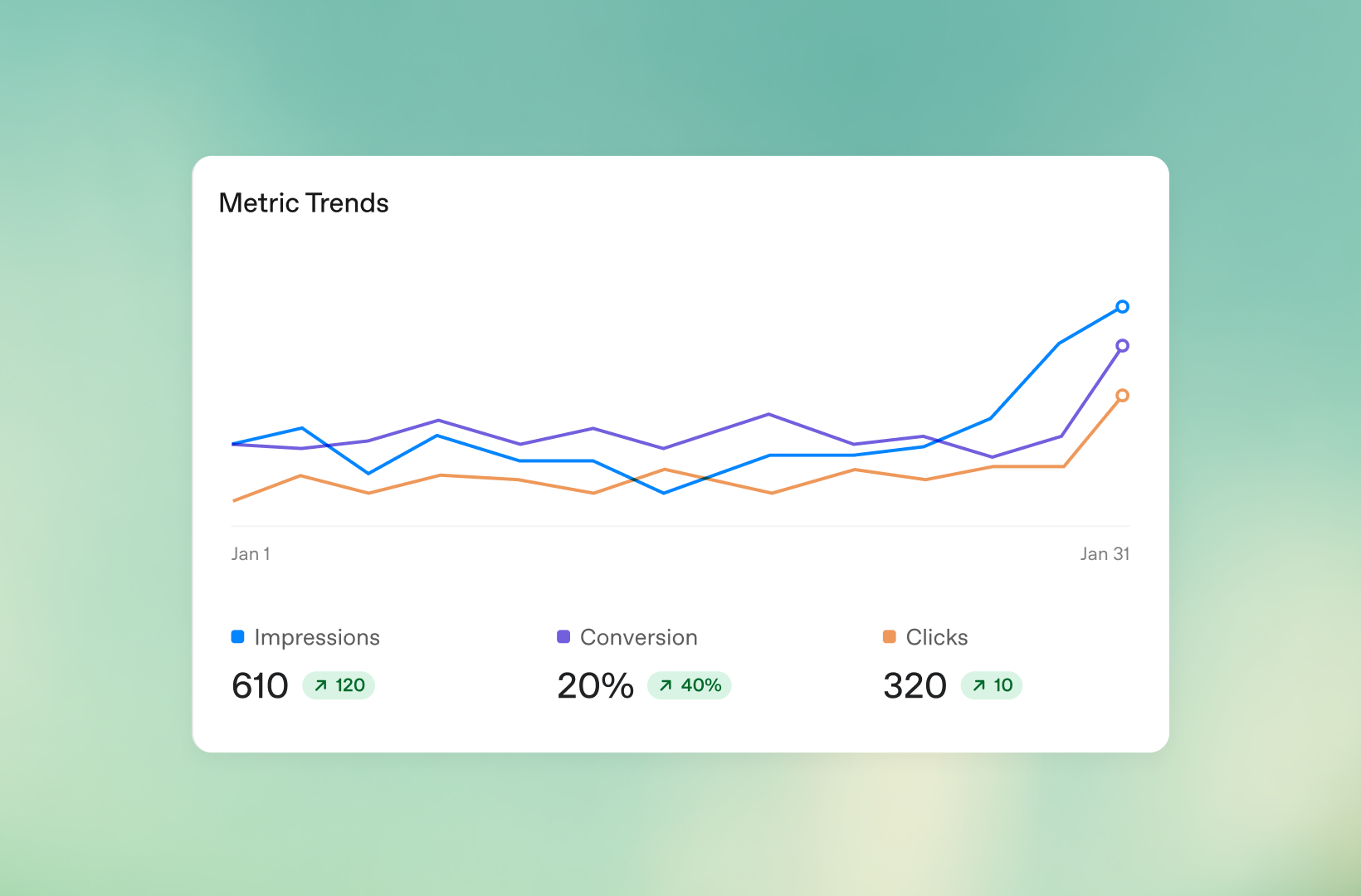
OpenAI’s Measure Results guide lists impressions, clicks, spend, CTR, Average CPC, Average CPM and conversions when measurement is configured. These metrics are available at campaign, ad-group and ad levels in table, chart and CSV views. Export daily and cumulative values with the same date range and time zone used in the analytics and CRM comparison.
The main Conversions metric is a combined click-through total for the selected scope and period. OpenAI says attributed conversions may take 24–48 hours to appear. Eligible accounts may also show one-day view-through conversions separately; they are supplemental, do not change billing or bidding and should not be added to the main Conversions figure or used as core CPA without a deliberate attribution decision.
| Reconciliation check | Why numbers can differ | Evidence to retain |
|---|---|---|
| Ads clicks vs GA4 sessions | Clicks are ad interactions; sessions depend on page load, redirects, consent, storage, browser blocking, UTM handling, attribution and time zone. | Ads CSV, GA4 export, URL parameters and date/time-zone definition. |
| Ads conversions vs CRM-qualified outcomes | Ads reports configured attributed events; CRM may apply lead qualification, deduplication, sales-stage or offline timing rules. | Event name, event ID, timestamp, campaign/ad IDs and CRM join key. |
| Pixel vs CAPI totals | Browser and server copies may duplicate if the same event ID is not reused, or may differ when consent and click-reference availability differ. | Browser debug record, server request log, oppref and event-ID test. |
| Spend vs invoice | Post-pay thresholds, reporting lag and post-pause delivery can change when charges or final totals appear. | Invoice/charge ID, billing period, campaign IDs and pause time. |
Troubleshooting: diagnose state before changing strategy
| Symptom | First check | Do not infer |
|---|---|---|
| India account or campaign access is missing | Read the current official availability table and account notification. Country availability is not the same as account readiness; check whether the route is self-service or partner-supported. | Do not infer advertiser access from seeing an ad as an Indian user. |
| Campaign is Not serving | OpenAI says to check verification, billing, active campaign/ads, dates including today, review status, account name and logo. | Do not change bids before resolving an account, review or payment state. |
| Budget validation fails | Check billing currency and the current Minimum Campaign Spend table; India is listed at 725 INR daily. | Do not convert the minimum into an expected CPC, CPM or monthly media plan. |
| oCPC cannot be selected or reports no result | Confirm a connected Pixel/CAPI data source and one supported standard event. Custom events are not currently supported for oCPC. | Do not edit a CPC campaign into oCPC or assume payment is per conversion. |
| Conversions stay at zero | Match the exact configured event type/name, test eligible traffic, preserve oppref, verify consent and allow reporting time. |
An accepted event or a browser request alone does not prove that it is attributed to this campaign. |
| Conversions are duplicated | Use the same event_id for the same browser and server conversion and check both firing paths. |
Do not deduplicate by timestamp or campaign name alone. |
| Ads clicks exceed analytics sessions | Compare date range/time zone and inspect redirects, consent, browser blocking, UTM handling and page-load success. | Do not call the platform or GA4 wrong without definition-level reconciliation. |
| Custom audience is unavailable | Check UTF-8 encoding, the 500 MB limit, supported headers, mixed-type CSV rules, matched size, status Ready and include/exclude logic. | Do not try to target individual people; Ads Manager provides audience-level controls and feature eligibility varies by market. |
What remains unknown
- The exact account-level activation date and time for any particular advertiser.
- Whether every Indian advertiser receives the same account review, feature eligibility and buying route.
- The account-review, verification, billing, invoice, tax and payment-threshold experience for an India-based legal entity.
- Indian location granularity in the campaign picker, available platform inventory and any country-specific delivery restrictions.
- Accepted bid ranges, market-level CPM/CPC prices, oCPC learning requirements and any performance benchmark.
- Inventory volume, advertiser count, incremental lift, conversion rate, CPA, ROAS and the share of delivery that may be view-through or modeled.
- Whether every account can use custom audiences, automatic advanced matching, product-feed campaigns or every reporting column during the beta; custom audiences are not supported for EEA or Switzerland campaign targeting.
- Any future change to supported ad formats, title/copy limits, macros, attribution windows or product-feed eligibility.
These are not missing details to fill with a forecast. Re-check the official availability, campaign, billing, measurement and reporting pages immediately before a client launch, and record the account-specific screen or export that proves each gate.
Frequently asked questions
Can Indian users see ChatGPT Ads before Indian advertisers get self-service access?
Yes, that is the distinction reported for the 27 August rollout: user-side ads and partner-led buying can precede self-service Ads Manager access. It is not evidence that every Indian advertiser can open a campaign. Check OpenAI’s country table and the account’s actual access state.
Is ₹725 the minimum CPC or CPM bid?
No. OpenAI lists 725 INR as a daily minimum in its Minimum Campaign Spend table. It is not a CPC, CPM, CPA, monthly spend, expected delivery or performance promise.
Does the 4 September date guarantee self-service access?
No. India Today reported that date, while OpenAI’s current availability page now lists India as Available. Treat the listing as country-level availability, not a guarantee of account approval, campaign eligibility or delivery.
Does oCPC mean I pay only when someone converts?
No. oCPC optimises toward a selected conversion event, but billing remains per valid click. Its bid cap is conversion-oriented and is not a guaranteed achieved cost per conversion.
Can I reuse a product feed in this guide?
Use the separate feed-based campaign workflow when a retail catalogue is the right unit. DMT’s product-feed guide owns schema, import, eligibility, Delta Feeds and product diagnostics. The feed path does not remove the account-availability or measurement gates in this article.
Can Google Tag Manager deploy the OpenAI Pixel?
OpenAI’s reporting guide says yes, provided the tag manager loads the Pixel on the correct pages and does not block or reorder initialisation and events. Test the browser and server paths, consent behaviour, oppref and shared event_id before relying on the data.
Editorial note: Tayeeb Khan reviewed this refresh against OpenAI’s current Ads Manager availability, account setup, billing, campaign, ad-group, creative, custom-audience, product-feed, oCPC, conversion-measurement and reporting documentation on 4 September 2026. The 27 August India rollout and 4 September timing are explicitly attributed to third-party reports. No DMT Ads Manager account, campaign, spend, conversion or partner access was used.
Official documentation and reported launch coverage
- OpenAI Help: Ads Manager Availability — current country-by-country self-service status; India was marked Available when checked on 4 September 2026.
- OpenAI Help: Ads Manager Beta Account Setup — account, verification, account information, billing and team-invite flow.
- OpenAI Help: Billing & Payment — post-pay billing, thresholds, card authorisation and payment failures.
- OpenAI Help: Create Campaigns for ChatGPT Ads — objectives, budgets, dates, countries, platforms and the 725 INR daily minimum table.
- OpenAI Help: Conversion-optimized Campaigns — standard-event prerequisites, one-event rule, bid cap and click billing.
- OpenAI Help: Create Ad Groups for ChatGPT Ads — context-hint and ad-group guidance.
- OpenAI Help: Create Ads for ChatGPT Ads — relevance, creative, landing-page and policy guidance.
- OpenAI Help: Set up Custom Audiences for your Campaign — mixed identifier CSVs, GAID, file limits, matching thresholds, statuses and inclusion/exclusion controls.
- OpenAI Developers: Custom Audiences — first-party data requirements, API operations and EEA/Switzerland feature boundary.
- OpenAI Help: Measure Results — metrics, CSV exports, conversion lag, dynamic parameters and reconciliation.
- OpenAI Help: Conversion Measurement — Pixel, Conversions API,
oppref, event IDs, advanced matching, consent and modeled measurement. - OpenAI Help: Create Campaigns from Product Feeds — separate retail feed workflow and product-reporting boundary.
- OpenAI Help: Ads in ChatGPT: The Basics — ad format, relevance signals, privacy and pricing context.
- OpenAI: Ad Policies — placement, safety and creative-policy boundaries.
- TechCrunch, 27 August 2026 — report used only for the attributed India user-side and partner-led announcement context.
- India Today, 27 August 2026 — report used only for the attributed 4 September self-service timing; OpenAI’s table remains the governing availability source.